
I couldn’t read 600 pages about the history of typewriters without wanting to buy at least one. I already own a manual model from the 1960’s, but I wanted a typewriter that bridged the era of typing and computing. I wanted a word processor, one from the 80s or 90s with a daisy wheel, correction tape, and the ability to display a few sentences on a tiny screen and edit them before printing them out. Some models even had floppy disk drives to store documents and transfer them to / from a computer. They’re weird hybrids and that’s what I wanted.
After a few days of eBay searching, I settled on a Smith Corona PWP 145. It has a small screen that displays about six lines of text, uses a daisy wheel print head, and takes pc-formatted 720K 3.5” floppy disks. Researching electronic typewriters is difficult. Even though there were many different models on the market, there is very little information on the internet about them. There are hundreds of different Smith Corona electronic typewriters and 40 or so that take floppy disks. Some take proprietary 2.8” Data Disks which looks similar to a 3.5” floppy but are not readable by most computers (they’re actually the same format the Nintendo Famicon uses). I wanted a model that took regular floppy disks to transfer documents from my computers and watch them print out on the typewriter. The PWP 145 fit the bill.
Getting to Know the PWP 145
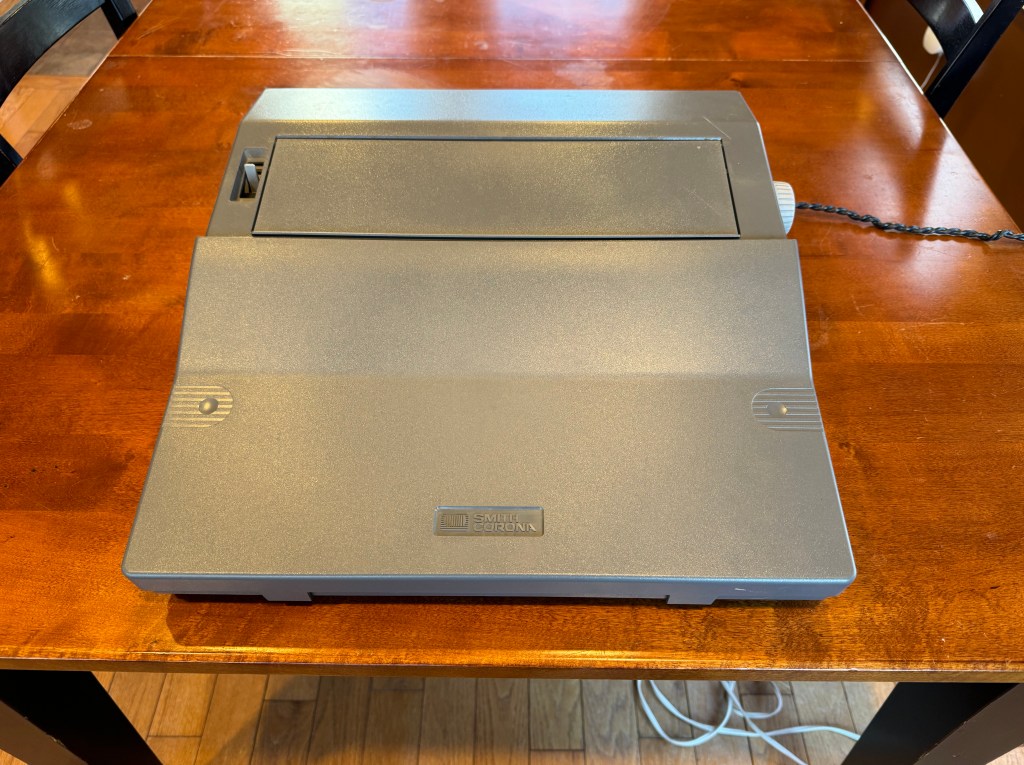
The case is two-tone gray with a white keyboard and a small black and white LCD. There is a paper feed at the top, a paper release lever on the left, and a knob to roll the platen on the right. The disk drive is also on the right, mounted vertically, with a green light and standard pc-style eject button. The cord is stored in a cubby in the back of the machine and uses a two-prong plug. The wire is twisted, which reminds me of a hair dryer. A plastic cover snaps over the keyboard to keep it clean during travel and there is a handle underneath the front to make it easier to carry. It weighs 15 lbs; not laptop light but also not untenable. People do carry typewriters around to coffee shops on occasion…
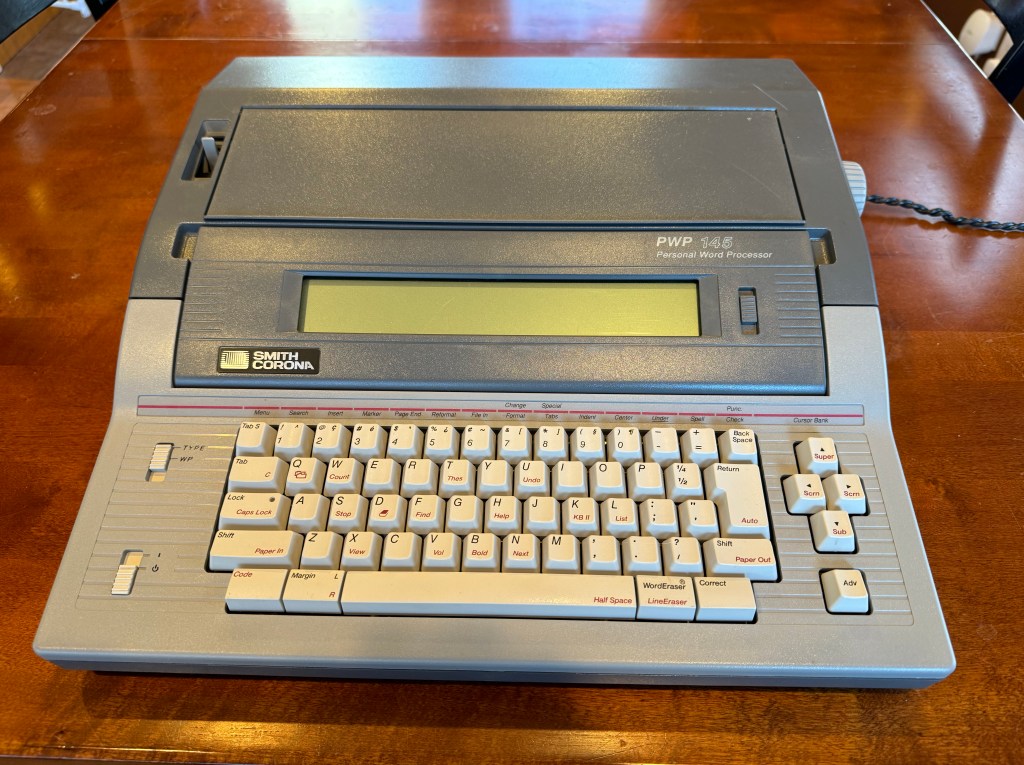
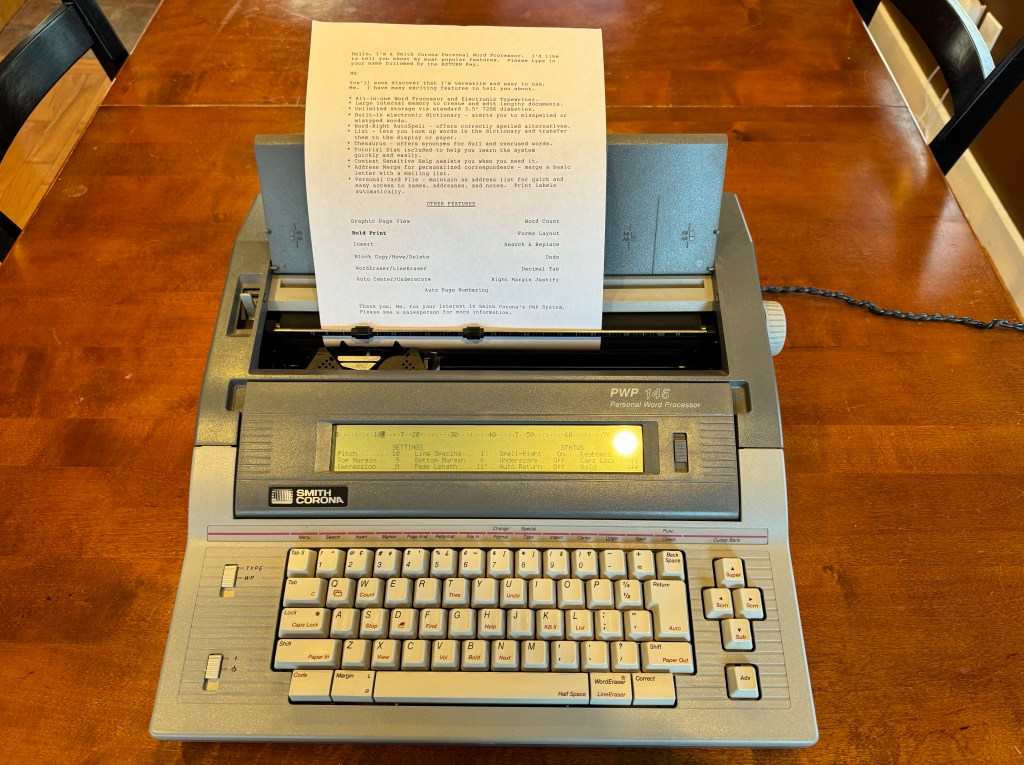

The PWP 145 has two modes – type mode where it works like, well, a typewriter – and wp mode where it works like a word processing application on a computer. As a typewriter it has all of the capabilities you’d expect of a “modern” model – characters are printed as you type, with an audible bang of the print hammer; it can bold and underline, backspace over printed words using correction tape, automatically return at the end of the line (there’s no carriage to slap back and forth), and it even keeps track of what you type and will beep if you misspell a word. The margins are adjustable, it supports multiple tab stops, and supports bold and underline printing. Turn off the spell check and it’s almost like using an IBM Selectric from the 1960’s.
There are some semi-word processor features available in type mode as well. Text can be centered, right aligned, or decimal aligned, but you must first type your content onto the LCD before it is printed out. You can also look up words in a thesaurus that is provided on a separate disk.
If you want to experience full word processing, flip the mode switch to wp mode and you will be catapulted into the world of early computers. All the work in word processing mode happens on the LCD, which is your classic non-backlit, slow refresh model of the nineties. It has a contrast adjustment so you can make sure you see it at whatever angle it’s set to. The word processor uses a number-based menu interface: press 1 to create a document, 2 to set margins, 3 to print, 4 to save, etc. It has about 45 KB of internal memory (8,000 – 9000 words of text) that is erased when the power is turned off.
The most immediate difference, other than using the LCD, is that typing no longer prints directly to the paper. It’s very much like typing on a computer and the screen happily scrolls along as keys are pressed. Once the document is ready, it can be printed by exiting to the menu and selecting the print command. At that point the typewriter dutifully types out the entire document, pausing at the end of each page for a new piece of paper to be inserted. It’s not exactly fast, taking nearly 3 minutes to print the single page of the machine’s self demo.
That document can be saved to a floppy disk for later editing or to print multiple copies. When loading documents off of the disk, they can even append together if desired. The file interface is rudimentary – it allows for viewing the file list, loading a file into memory, saving a file, deleting a file, and formatting a disk. There is no way to rename files, copy files, move files, create folders, or view file information. It’s basic, but fits the needs of the device.
Unfortunately for me, while the PWP 145 can read DOS formatted disks, it’s one of the only models that cannot read regular ASCII text files on those disks. It only reads proprietary PWP files (saved from a typewriter) so there isn’t any way to take a document from one of my computers and print it without converting the file to PWP format. I couldn’t find any formatters online (nor expected to) but maybe I can write my own.
Word processor mode provides all of the features of typewriter mode, and even represents bold and underline (or both) characters on the screen. Additional features include the ability to insert characters (instead of typing over them), find and replace words, automatically add page numbers, and move chunks of the document around. All of this happens at the speed of a slow PC from the early 1980s. Typing a line or two is fine, but scrolling through the document refreshes the entire screen line by line for each press of the arrow key, taking a second or so per line. It’s certainly workable and provides more flexibility than typing directly to paper, but it’s not what I’d consider enjoyable.
The Keyboard
Since I bought this after reading a book about keyboards, let’s talk about the keyboard. It looks like a standard PC keyboard from the top – the keys are the same shape and are in mostly the same locations. Many of the keys on the keyboard are dual-function, with secondary functions accessed through a dedicated “code” key, similar to the control key on a computer keyboard. The keycaps are tall and imply mechanical switches underneath. Unfortunately that’s not the case. The keys have minimal travel with a very noticeable spring back. They seem like they need to be pressed far down but they actively resist, creating a trampolining feeling. This was initially very frustrating and caused a lot of mistakes. It took me some time to realize that you can’t press them hard. Pressing the keys lightly allows them to spring back more comfortably. It’s more like tapping the keys than pressing them. I don’t love it but I can work with it.
Random Ruminations
It’s kind of fascinating to think about how confusing a “simple” machine that prints directly to paper can be. It took me nearly an hour to install the correcting ribbon so it worked correctly. The instructions in the manual were not very helpful; either the descriptions were unclear to someone who isn’t versed in typewriters or it was wrong altogether. There were a few diagrams but they were confusing. I installed the ribbon multiple times, first backwards, then forwards, then incorrectly aligned a couple of times. Once I finally had it where I wanted it to be, it still didn’t work. Instead of removing the last character typed, it printed it on top of itself, making it bolder. I finally discovered that I had engaged some sort of lock that prevented the carriage from shifting the correcting ribbon up. I felt so dumb being almost defeated by a plastic spool of tape…
I’ve noticed that I restructure my content a lot. I frequently move, delete, reformat, and rewrite my writing. On a standard typewriter that means typing out the entire first draft, reading it, marking things with a pen, retyping an entire second draft, and repeating over and over until I have a draft I’m satisfied with. I’d either be wasting a lot of paper or learning how to get to my point more quickly. Even regular typing is very intimidating, because every mistake requires the use of a correcting ribbon. The ribbon isn’t unlimited and isn’t particularly quiet, so it makes your mistakes stand out. I never realized how much I used the backspace key in my normal writing because it had no consequence. It’s not like I’d run out of deletes. Mistyping something like “conmputer” on a typewriter means either erasing 7 characters or erasing just one but leaving an awkward space like “com puter”. It’s a different world.
Speaking of correcting ribbons, I find both the regular ribbon and correction ribbon fascinating. Film ribbons are applied to the surface of the paper with pressure. The daisy wheel of the typewriter hits the ribbon so hard that it causes the material to peel off in the shape of the letter. If you pull the ribbon out you will see every letter that has been typed on it. The correcting ribbon is similar, but works in the opposite way. Instead of leaving an imprint, it rips the film right off the page, leaving it perfectly preserved on the tape. Between the two, it’s possible to see exactly what was typed on the typewriter. Pretty cool.
Until Next Time
This typewriter is exactly what I wanted it to be. It’s a weird hybrid from the final transition to computers and it’s a blast to play around with. While it can’t read text files from a computer like I wanted it to, I’m still pretty determined to make it happen. Even without that, it’s pretty interesting. Will I use it on the regular? No, but I might use it on occasion just for fun.
 Relatively Ambitious
Fascinating! Like you, I have a manual typewriter but had never really considered one of these daisy wheel machines. It’s super interesting how they bridge the gap between typewriter and computer.
LikeLike
Did you try just typing something in notepad and saving it as documentname.pwp onto the floppy?
LikeLike
Yes, I wish it was that simple! It expects certain binary headers in the file and won’t read a standard text file. It also expects different newline characters, otherwise the entire document is one line 🙂
LikeLike
I have a very similar PWP 2400 that can save in ASCII ! When exchanging data with a pc, the formatting for things like returns are lost, and you have to reformat it on the word processor.
LikeLike