
After I read Shift Happens I had a hankering for keyboards. I pulled my 1988-era Apple Desktop Bus keyboard out of my museum, plugged it into my ADB-USB Wombat adapter, and began enjoying the experience of retro mechanical keyboarding. As I continued on in the book, I became interested in modern mechanical keyboards and all of the customizations around them. I did some quick searches and fell in love with keyboards that had spherically shaped keys and cool red escape and enter keys.
The world of mechanical keyboards can be overwhelming. There are the switches, which make the actual contact under the keys. They come from multiple brands – Cherry, Gateron, Kailh, Razer. Switches come in multiple types – linear, tactile, clicky – and multiple implementations – pure mechanical, optical, Hall effect. Those come in multiple models – red, blue, brown, green, yellow, banana, tangerine, mint, baby kangaroo, and endless others – each with their own feel, sound, and character. The switches can be soldered onto the PCB or can be “hot-swapped” without tools. Then there are keycaps – ABS, PBT, double shot, laser etched, dye sublimated. There are shapes and profiles – OEM, Cherry, XDA, SA, OSA. There are layouts – full, 96% (compact), 80% (tenkeyless), 75% (compact tenkeyless), 65% (compact), and 60% (mini). They can be wired, wireless, or both. They can have LED backlighting in white or color. The backlights can be “north facing” or “south facing”, and can shine through the keys or not. They can be customized with open source software or not.
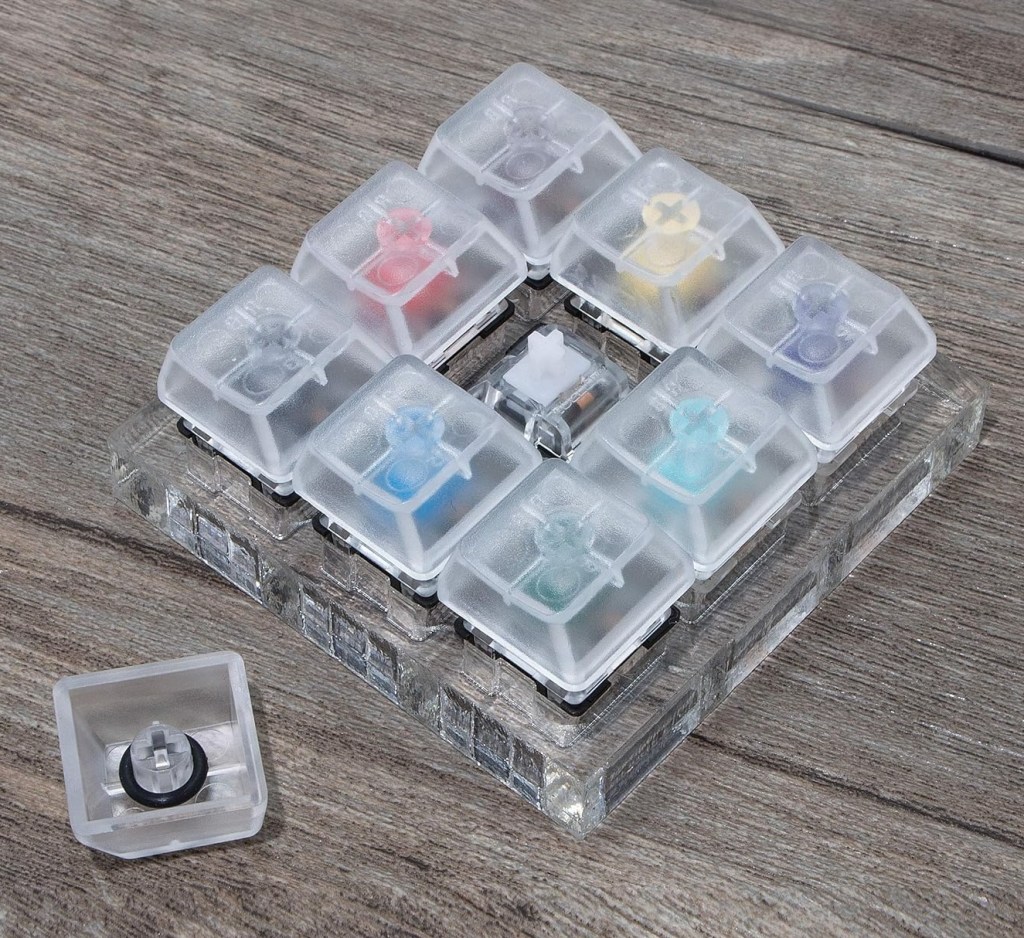
There are many ways to buy mechanical keyboards. You can buy a gaming keyboard, build one yourself, buy a generic one, or shop at one of several companies to customize one. Keycrhon was well-reviewed and has a dazzling array of options across form factors, quality levels, and prices. They also have key caps with the classic look evoked in Shift Happens. I priced out a keyboard but thought I should test some switches first. It turns out that you can buy switch testers specifically for this purpose. I bought a few, including one from Matias, which has tried to recreate the switches used in my Apple Extended Keyboard. In total I have 20 different switches that I can test out. In addition to testing, they make a great fidget on my desk.
After lots of poking, I started to figure out what I was interested in. I don’t like linear switches because they feel too soft. Those are typically the “reds”. They’re good for gaming because they are predictable and fast, but I’m not a competition gamer and I’m not looking for a gaming keyboard anyway. I like the idea of the super clicky switches (the “blues”) but they’re probably too obnoxious to use on a regular basis. I think I want tactile switches (the “browns”), which are firmer than a linear switch, but not as loud as clicky switches.
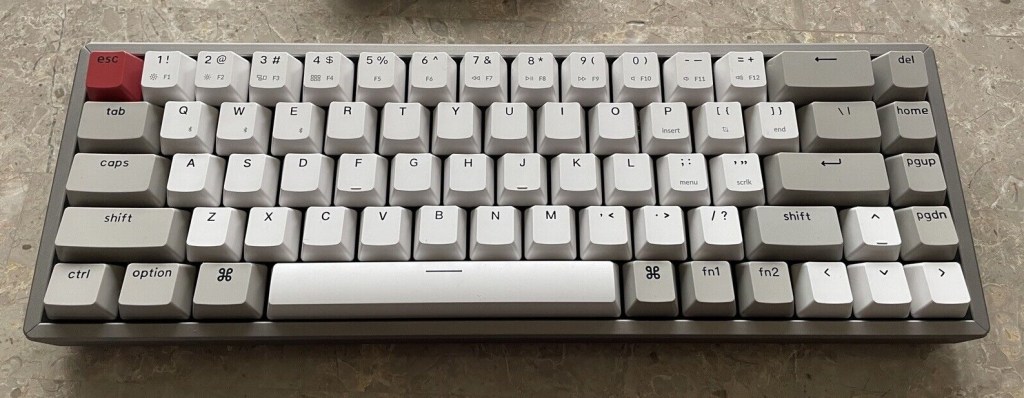
I really liked the idea of a clicky keyboard and wanted something to try outside of a single key on my switch tester, so I went to eBay. I found Keychron K6 with clicky blue switches for $45, or about half off the regular price. It’s a compact 65% keyboard with 68 keys instead of the standard 104. It has no number pad, no function keys, and no insert, delete, end, or ~ keys. It does include arrow keys (which some keyboards omit) and allows access to its missing keys through two fn keys. It’s similar in size to Apple’s Magic Keyboard, but provides a standard inverted T arrow key layout and a few additional keys.
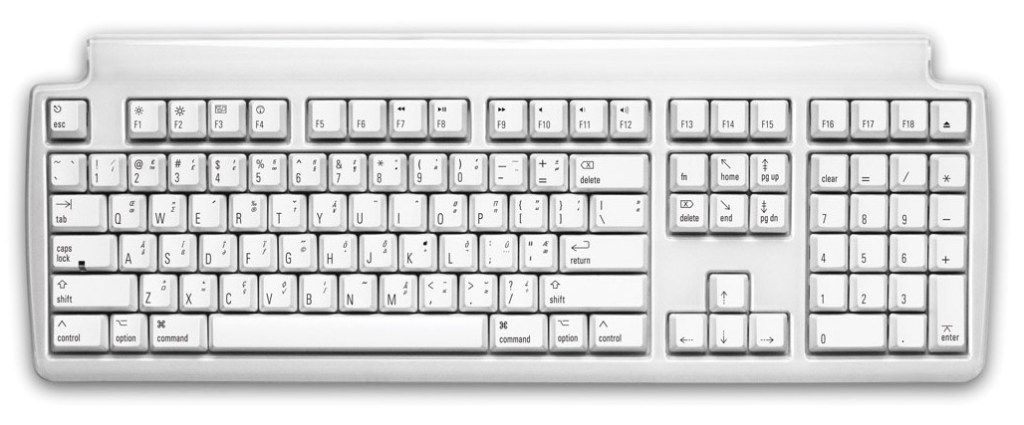
I bought a Matias Tactile Pro 4 keyboard as well, also on eBay. The Tactile Pro 4 is a full size keyboard with key switches that recreate the feel of Apple’s Extended Keyboard from the nineties. It’s wired and doesn’t have any fancy lighting, but I got it for ⅓ of its regular price at $50 shipped. It’s super clicky like the Keychron K6 as well.
I’m going to use these keyboards and assess whether the sound of clicky switches is too much. If it is, I’ll configure my real keyboard with quieter switches, probably browns. I plan to buy a keyboard with switches that are hot-swappable, which will allow me to change them in the future if I want a different feel. I’m leaning toward the Keychron K2 Pro model, which is a 75% keyboard, similar to the 65% layout, but with dedicated function keys and only one fn button, used for media / brightness / special keys.
 Relatively Ambitious