

After purchasing a Keychron K6 from eBay to test it out, I learned a lot about what I wanted and didn’t want in a keyboard. I’ve settled on another Keychron model, this time a K8 in the Pro series. The Pro series has better stabilizers for large keys like space and shift, better keys with a rounded shape to them, a more solid chassis and sound absorbing material, and better customization software.
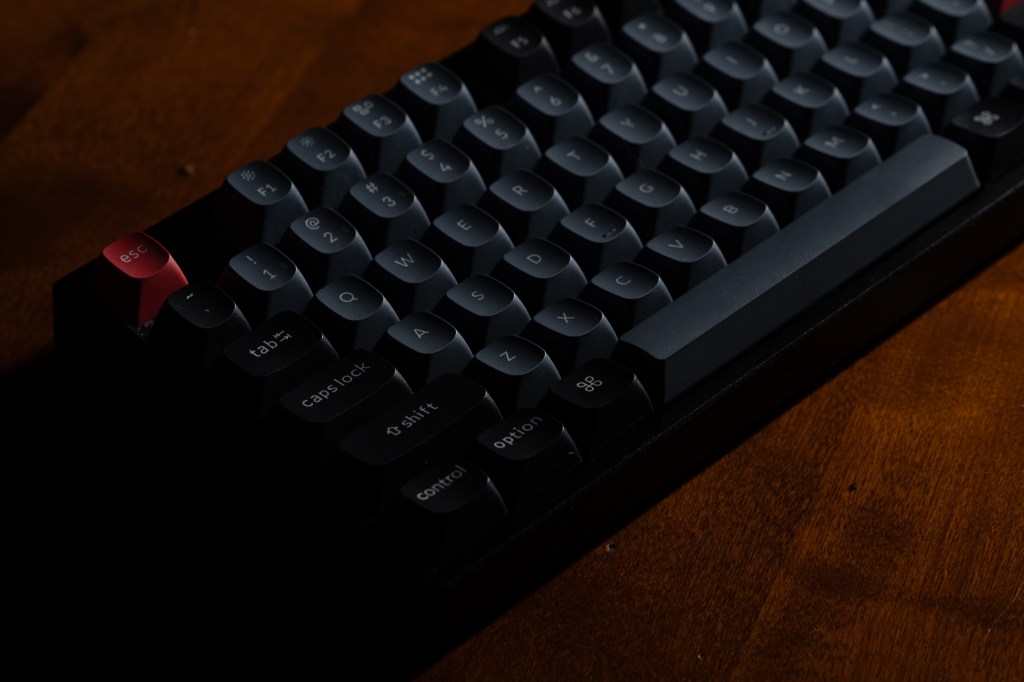
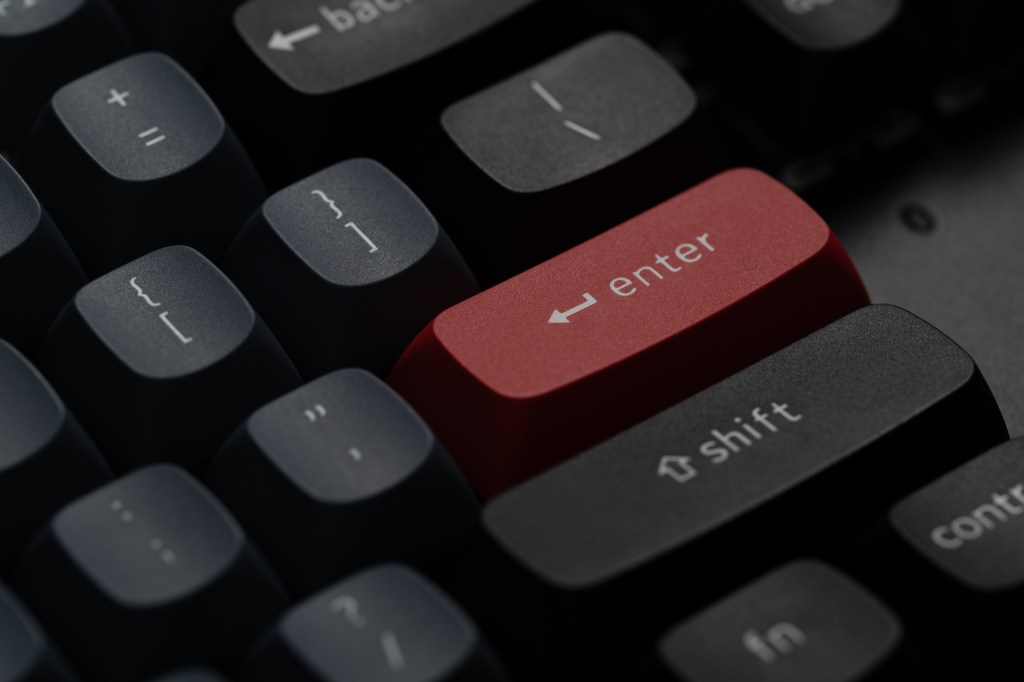
I’m particularly excited about the keys – they have the rounded shape of classic keyboard keys (think IBM Selectric) and are made out of a nice PBT plastic that resist oils. They feel more substantial than the keys on my K6 and have nicer looking and better aligned print. The letter and number keys are grayish-blue, the shift and control keys are black, the function keys alternate, and of course, the enter and escape keys are red 🙂 It’s a very cool looking keyboard and really stands out, in a good way. I’ve paired it with a wooden Keychron wrist rest and it looks both modern and classic at the same time. I really, really like the way it looks.
Choosing the Pro series was easy. All Pro models include better key caps, more stable typing, customization, optional hot-swappable switches, and optional RGB effects. I went “all-out” with RGB lighting, hot-swappable key switches, and a metal frame. I wanted the inverted version of my key cap color scheme with black keys and gray accents, but it was out of stock, so I made due with the normal design. Based on my experience with the K6, I learned that I didn’t want clicky switches, so I chose brown switches, which provide a bit of feedback with lower volume. They make more of a “thud” or a “thonk” noise that’s more considerate of those in my vicinity.
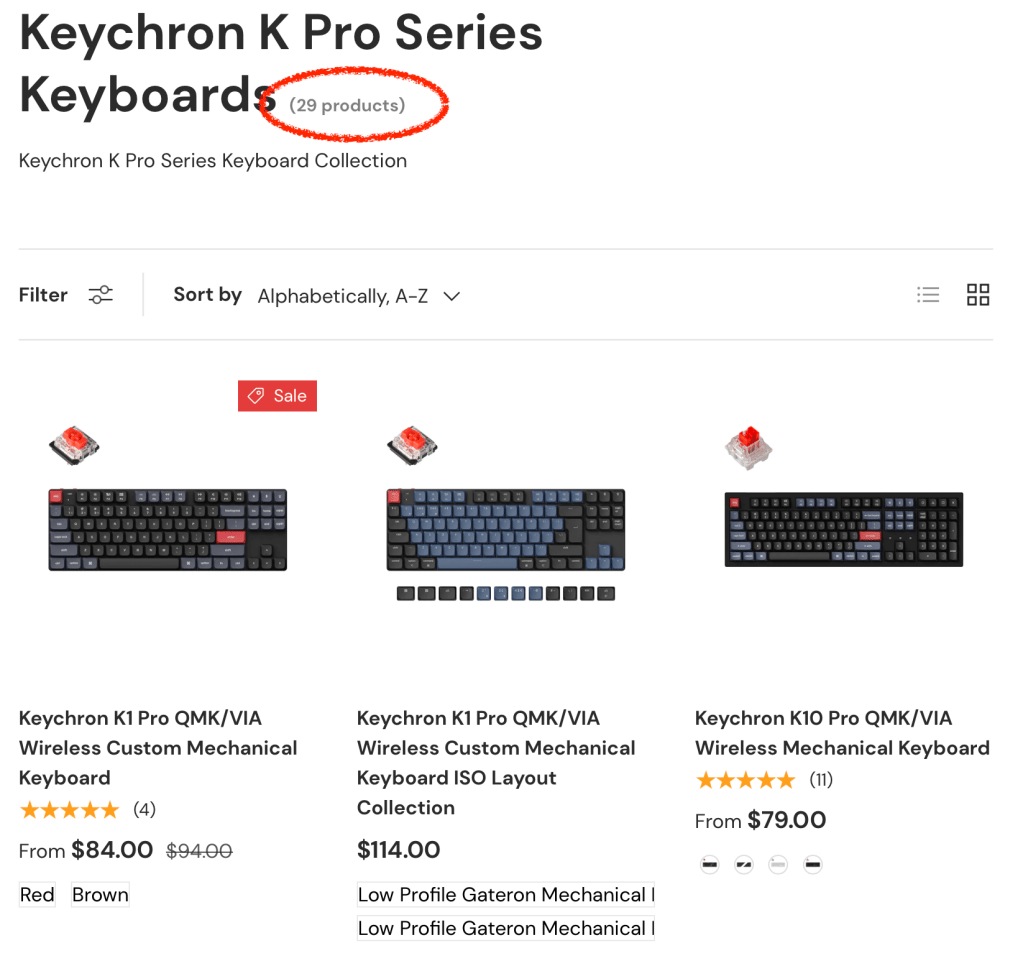
Choosing the Pro line was easy, but choosing which model in the Pro line was quite a challenge. There are no less than sixteen different layouts available from full keyboards to extremely small keyboards and almost everything in between. I liked the small size of the K6, but wanted a dedicated function key row. I leaned toward a K2 Pro to get the function row, but it also includes the same short shift key on the right side that runs into the arrow keys. I gravitated towards the K8 for this reason. It’s a “tenkeyless” design, which cuts the number pad off of a full size keyboard. It’s a couple inches wider than the K6 and seemed like a reasonable compromise. But if I was already going to make the keyboard wider, then I really wanted a number pad for those times I’m working on spreadsheets. At that point, I started researching every model Keychron made, including various models with and without number pads. Most of the number pad variants were either too wide or had a compromised shift key. At the end I settled on the K8 Pro again and decided to use its customizability to my advantage.
I bought the keyboard through Amazon and it shipped in two days. It comes in a nice black box and includes a quick setup card, a manual, a USB-C cable, a key puller, a switch puller, and alternate keys for the Windows layout. I also bought a wooden wrist rest that is sized for the K8 Pro. The first thing I did with the keyboard was take advantage of its hot-swappable key switches. I replaced the Caps Lock switch with a blue switch from one of my switch testers, so I know when I’ve engaged it.
The Keyboard Itself
I really like the keyboard. It’s super solid, and very heavy actually. Its black metal frame and contrasting keys really stand out. I got comments on it the first day I brought it to work. The wrist rest fits right on it and makes it comfortable to type on. The keys are a nice classic shape but aren’t so tall that they are uncomfortable. Overall it feels really great and its still small enough to provide plenty of room for my mouse. 1

The wireless works fine and the battery life is OK, lasting about a week with the backlight on. Pressing fn + B displays a battery indicator under the 1-0 keys that illuminate showing how full the battery is on a 1 – 10 scale. They are green in the upper range and red when the battery gets in to the 2 – 3 range. When not checking battery status, the keyboard has a bunch of different RGB patterns to choose from. Toggling through the patterns is easy with the dedicated key on the keyboard and the function key can be used to change brightness and color. My favorite so far is called “digital rain” and displays a bunch of pastel-like colors that change to different colors at random time on random keys. It’s relaxing.
Switch Drama
Speaking of the switches, was switching to brown a good idea? Initially I thought so because they were quieter than the blue switches in my K6. But after using them for a few days… I absolutely hated them. They’re so… weak. They don’t require the same pressure as the blues or my classic Apple keyboards and they have a very flaccid spring back. After a bit of a press they just slam down and sit there. Maybe that is the “thock” that the internets say you want in a mechanical keyboard, but I don’t like it. The keys are easy to press but they feel like there is nothing underneath. It’s particularly annoying for gaming: I can’t rest my fingers on them without unexpected triggering and when I press them on purpose they seem to just smash to the bottom and get stuck. It disrupts the rhythm of gameplay and I make lots of mistakes. I switched back to my K6 just to get more control.
IMAGES
So bummer about the brown switches, but that’s why I bought a hot-swappable keyboard, right? I started experimenting with the switches that came with my switch testers and replaced them under various keys. I used a mixture of clicky and tactile switches with different pressure and springbuck profiles. I purchased a set of Glorious Pandas, which are supposed to be the most amazing tactile switches on the market. They’re expensive,so I only bought one box (36 switches), which was enough to test them on my alphabetic, symbol, and shift keys. They are far better than the browns: requiring more force to press, providing a stronger tactile bump, not activating unexpectedly, and springing back quickly. They’re a bit louder than the browns but they also have a deeper sound. I also picked up a box of clicky Glorious Raptor switches (as an “open box” for 30% off) and I’m using them for a few of my keys – return, escape, caps lock, and function.


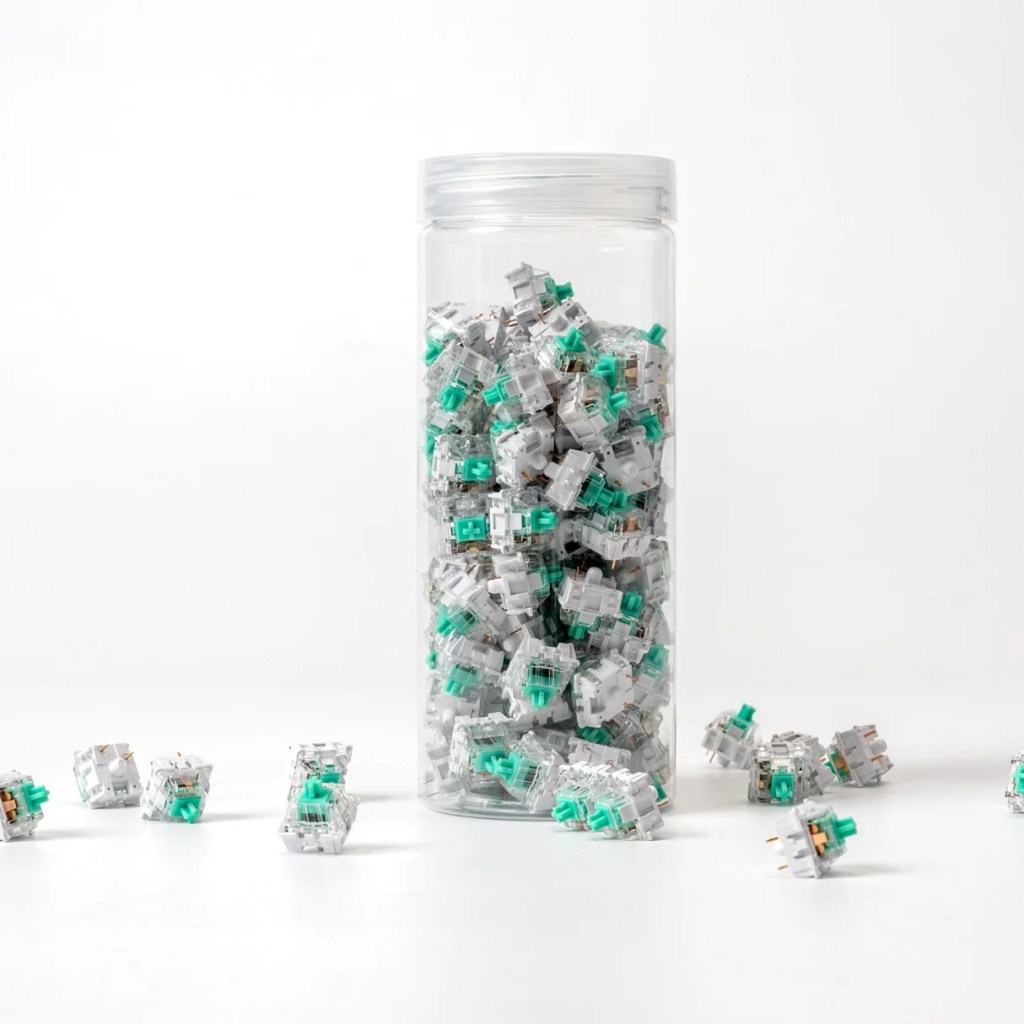
But because I can’t stop, I purchased three more sets of switches, all from Keychron. I bought them because they were well-reviewed and I just couldn’t resist for the price – a set of 110 for only $16. They are called Keychron K Pro and are offered in the standard red / brown / blue types, as well as Banana and Mint. Banana is a tactile switch with an earlier bump and stronger return. The Mint version requires a bit more force and has an even stronger return. I’ve read some opinions that they are similar to or even preferable to the Pandas. For $16 I couldn’t pass them up! I also threw in a set of blues in case I completely gave up and went totally clicky.
At this point I have a keyboard with five different switches on it. It’s got bananas on one side, pandas on the other, mints on the top and bottom, raptors under enter / escape, and browns still under the function keys. So far, the bananas and the pandas are almost indistinguishable. The mix is fine at the moment, but I’ll probably convert most of them to mints at some point and call it a day. I don’t think I’ll ever have only one type of switch on my keyboard though – I think I’ll always have a clicky switch here or there under certain keys that I want to be aware of pressing.
Software
So far I’ve customized my K8 Pro quite a bit, but it was only in hardware. Keychron’s Pro series can also be customized in software through an open source tool called VIA. It allows keys to be remapped, macros to be created, and lighting to be configured. Remember how I really wanted a number pad? Well it turns out that the K8 Pro has nine keys in its navigation cluster (page up / down, etc) and the keys above it. I remapped those to 1-9 so they act like a number pad when I’m holding the function key. It’s not a full number pad, but the zero, enter, and period keys are close enough by when I need them. Boom. Compromise.
I also configured a macro to take the place of the Siri key that I don’t otherwise use. I’m a Product Owner at work and frequently create Jira epics that are based on a template. The template has a bunch of placeholder values that need to be filled in, and I don’t have access to find and replace, so I have to do it manually. I recorded a macro that deletes the current selection and pastes in whatever is in the clipboard so that I don’t have to keep moving my hands across the keyboard to press backspace followed by ⌘-v. It’s all done in one keystroke and makes my manual find and replace much faster.
So Yeah
The K8 Pro was a good purchase. It packs a lot of features in at a great price. It’s comfortable, it’s customizable, and it’s stylish. I will continue to rotate keyboards a bit, but now that I’ve settled on switches, this one will definitely be in the rotation.
- The box is even nice. It’s all black with a graphic of the keyboard printed in phosphorescent silver on the front. Inside it’s packed in a bag, surrounded by foam, and topped with quick start cards. The non-pro K6 also ships in a nice box. ↩︎
 Relatively Ambitious