
I have a growing collection of retrocomputing equipment – desktops, laptops, displays, disk drives, storage media, PDAs, music players, phones, tablets, CPUs, memory, books, marketing materials, magazines, and more. I go through phases of acquiring , phases of experiencing, and phases of sharing. I’ve been acquiring and experiencing recently, and now it’s time for sharing. This is the stuff I do in between photography and playing video games, during the cooler months when I’m indoors. The last six months have been busy.
Experiencing
I really enjoy acquiring items for my collection. I love researching new things and I get a rush when I get items for “a good deal”. It’s fun, but the rush is over soon after I receive the item, unbox it, and use it a little . Then down into storage it goes, to be untouched for years. Sometimes I feel like that’s a waste, so I’ve been intentionally focusing my time on using some of the items I’ve collected over the years.
I started by combing through my laptops and desktops and inventorying them, noting their specs, whether they work, and what is installed. I created a Google Sheet a few years ago to catalog what I was acquiring at the time, but much of my collection is undocumented. It was time to catch up and document the items I own. Each night or so I’d pull a laptop out, set it up on the dining room table, and go exploring. I’d enter it into my “database”, reminiscing about the days of Mac OS 8, early Mac OSX, and transparent colored plastics.
While exploring, sometimes I’d reconfigure the software to be era-accurate. I spent a lot of time with my PowerBook G3 Wallstreets while I was testing out CF-to-IDE adapters and BlueSCSIs. I installed a ton of software, trying to turn them into good representations of machine from their time. In the process I’ve revisited machines I haven’t used in a while and have even discovered some that aren’t working as well as I remember.
Over the summer and fall around 20 different machines graced my dining room table, tucked in the corner next to me during dinner to be used after. There were PowerBook G3 Wallstreets, Lombards, and a Pismo. There were original iBooks in Blueberry, Tangerine, Indigo, and even Lime. There were PowerBook 3400’s, 1400’s, 2400’s, and 540’s. There were white iBooks and Titanium and Aluminum G4’s. There were even a couple cubes and a Mac Pro tower.
It felt nice to spend time using the machines I’ve acquired, remembering how things were, and appreciating how much more powerful, easy, and convenient my hardware is now. But it brought back the memories, the rush of using those machines when they were new (some of them at least), and made me appreciate the progress of technology.
Reorganizing
The funny thing about trying to experience my collection is that I need to find the items I have to do it. Every few years I consolidate and organize my stuff then let it slowly get disorganized. It was time to pull it back together once again.
I had a bunch of stuff stacked up that needed to be filed away, but beyond that, my storage was inefficient. I had similar items in multiple places, I had shelves and drawers with empty space, and things were hard to find. Everything needed to be restructured. I’d been thinking about it for a while – about how beautiful everything would be when it was sorted – but it was such a daunting task that I stopped every time I started. I couldn’t come up with a good plan of attack, and after some waffling I decided to stop worrying and just do something.
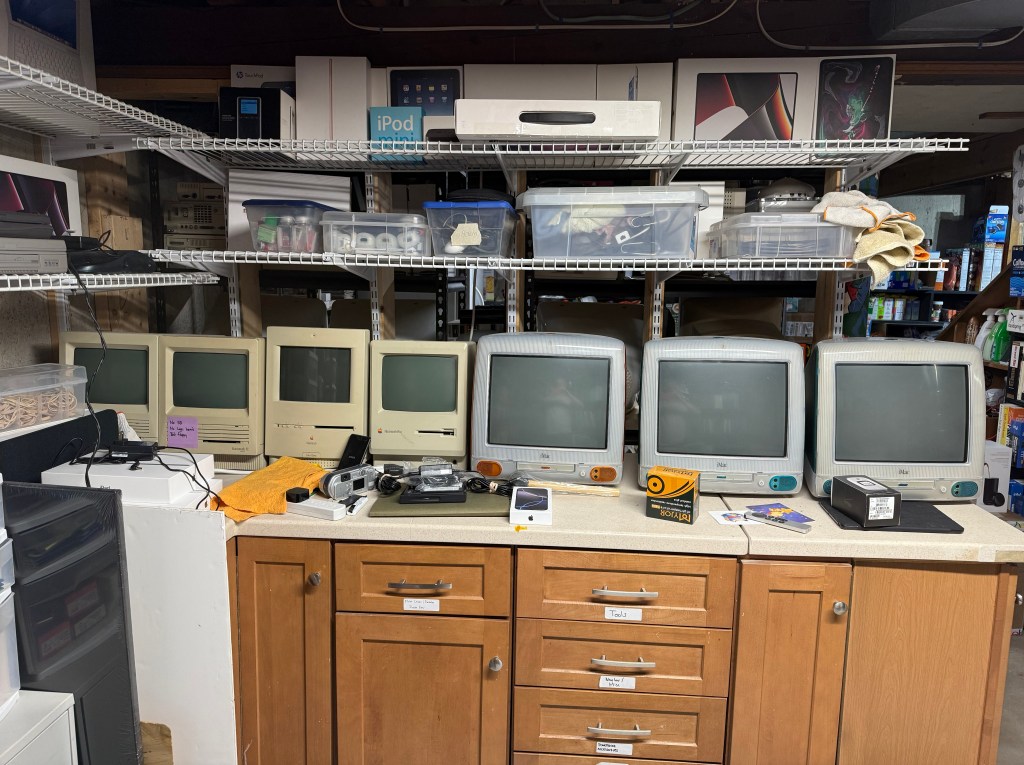

There was a lot of wasted space in those drawers!
So that’s what I did – every day or so I’d just go downstairs, look around, and pick something to go through. One day it was my drawer of USB and Firewire cables. Another day it was my storage media. Another it was hard drives and external removable storage. There was no priority to it; I just started on what I felt like starting on. Each task was small and completed within a couple of hours, adding to a sense of iterative progress. As I sorted through my stuff it became easier to organize. I condensed common items and made more effective use of my space, enabling me to find things faster and discover things I had forgotten about.
I’ve acquired a few PC systems from my local recycling center over the past few months and it was time to pick them for parts. Most were mid-generation i5 models, with an AMD gaming PC from 2010 or so. Two were slim tower HPs, two were standard ATX cases, and one was a Dell Inspiron tower. I disassembled the Dell and the two ATX machines to add their DVD drives, hard drives, and video cards to my parts collection and returned their carcasses to the recycling center.

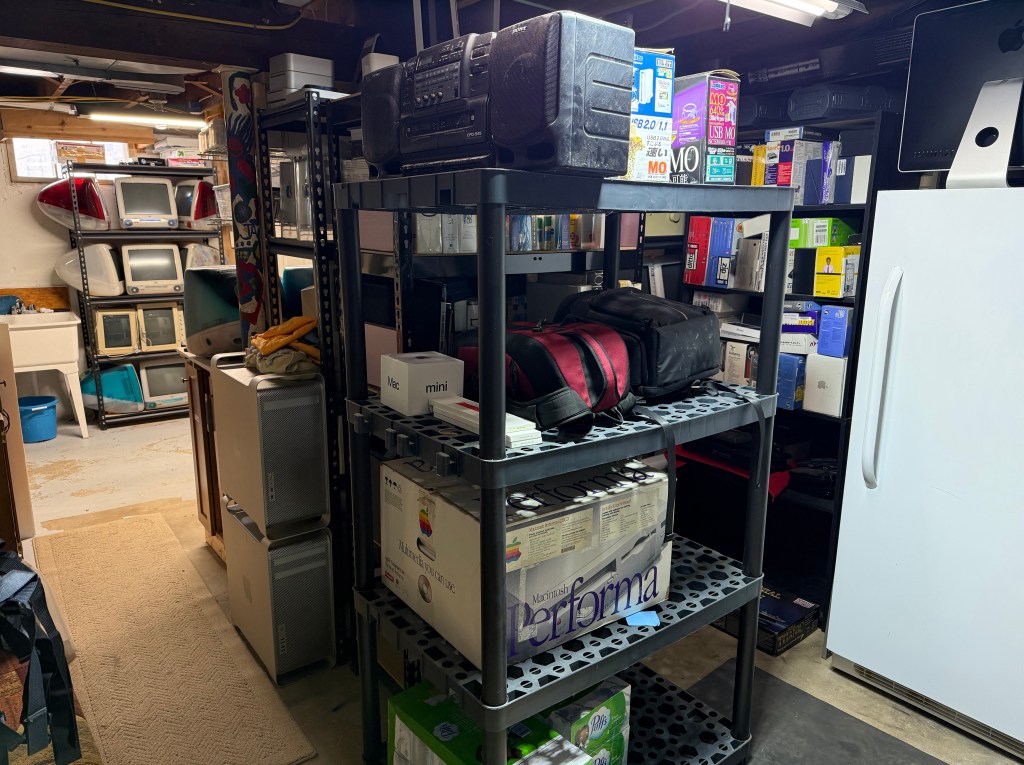
Then it all went to hell when I decided to buy a new dryer that required me to move all of my newly-organized stuff to the other side of the basement
I made great progress getting everything organized and had restocked most of my laptops into one shelving unit. I was just about to start organizing boxed software and books when I decided to purchase a new dryer before ours failed. Why does that matter? Well our dryer is in the basement, and the only way to get a new one in is to go through my museum, which, of course, is not wide enough for appliances. So I had to move three shelves worth of stuff, two sets of storage racks, and a magazine rack to the other side of the basement. When the dryer arrived, I had to put it all back, reorganizing it again. On the upside, it turns out that reorganizing twice in a row makes for even more efficient storage!
Surface Fire
I bought a Microsoft Surface Book last year and was really excited to try out its laptop / tablet convertible form factor. I’d been looking for one for a while and finally found some for around $50. It’s an interesting machine because it’s a tablet, but also attaches to a hinged keyboard where it functions very much like a laptop. It’s not a convertible laptop with a swivel hinge, it’s a two separate parts that lock together. Each section has a battery, so life is more than doubled when they are attached.
I had a working system except for the trackpad on the keyboard base, so I bought another unit to see if I could fix it. The new base had a working trackpad but a dead battery that wouldn’t charge. I disassembled both to swap the working trackpad into the base with the working battery but ended up causing my first lithium fire.
I was using a hair dryer to soften the adhesive under the base plate so I could access the battery. I was using a pick to trace the edge of the plate, got a little too aggressive, and ended up puncturing the battery. Before I knew it, a gray cloud of powder was emanating from the case. I didn’t realize it was a lithium fire until it continued to get more and more dense. Once I realized what was happening, I threw the base out onto my patio and doused it with a hose. In the end I ruined the good battery, melted the attached keyboard, and permanently marked up my dining room table. Luckily nobody else was home at the time.
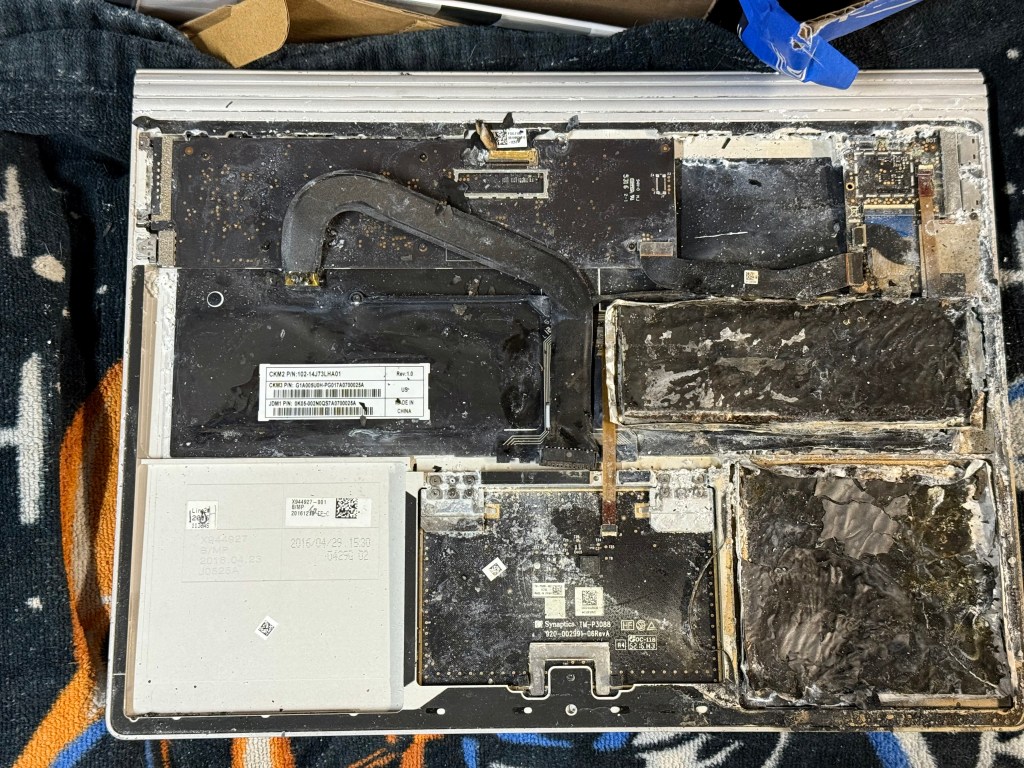
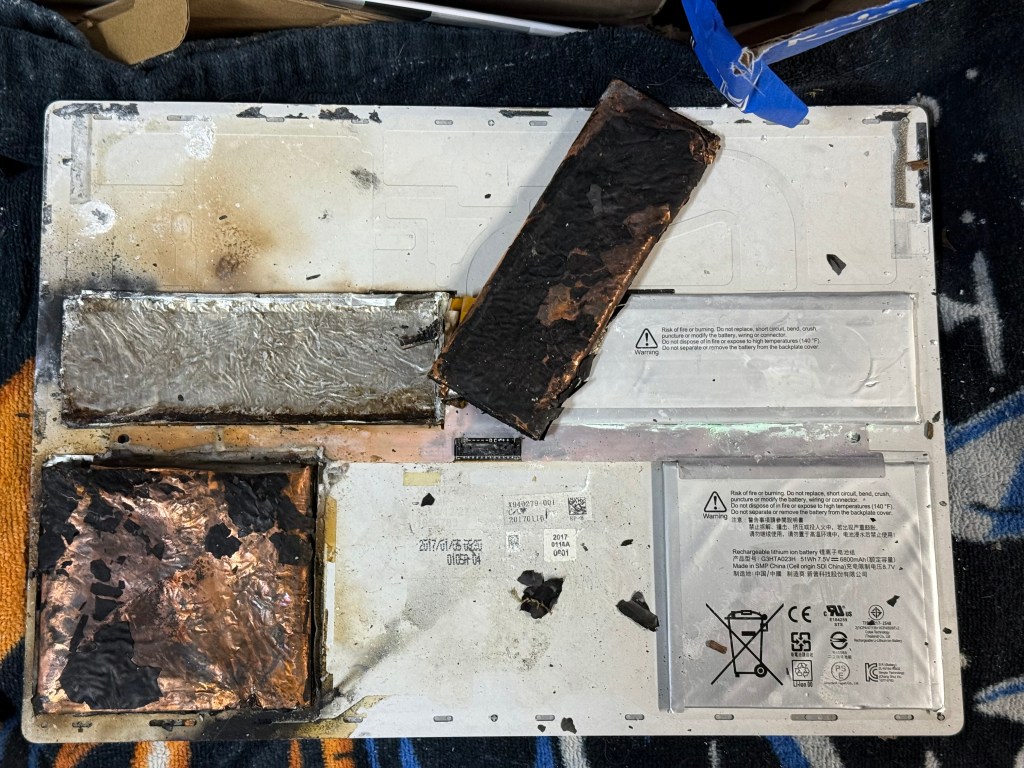
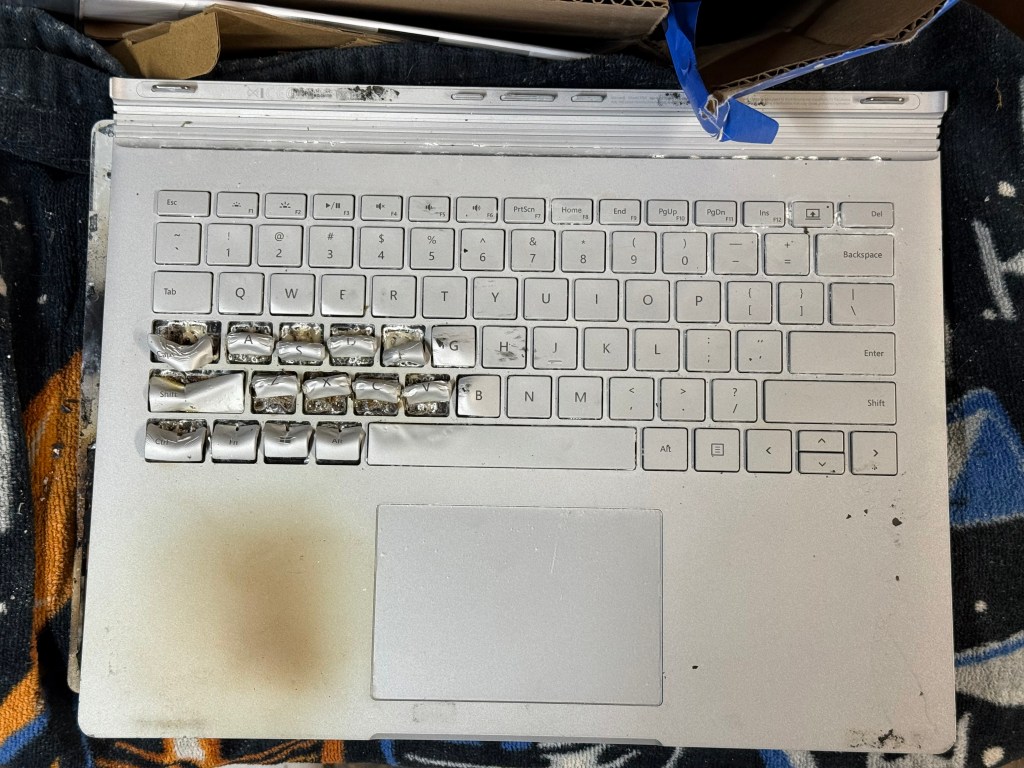
I found a brand new battery at iFixit and thought my adventure could end happily, but it wasn’t in the cards. I installed the new battery only to discover that the base still won’t charge it. This is apparently a common problem with the first generation Surface Book that no amount of driver installations, add/remove hardware hoops, or OS reinstalls can cure. Go figure.
Other Happenings
I’ve been doing a lot with my collection and can’t cover it all, but here are some additional highlights.


- I added an iMac G5 to my collection. I vividly remember its release for one reason: you could remove the back and see its internals, with G5 silkscreened on the CPU to celebrate its powerful processor. I ended up getting a 20” iMac G5 at work back in the day, but the removable back was gone by that revision.
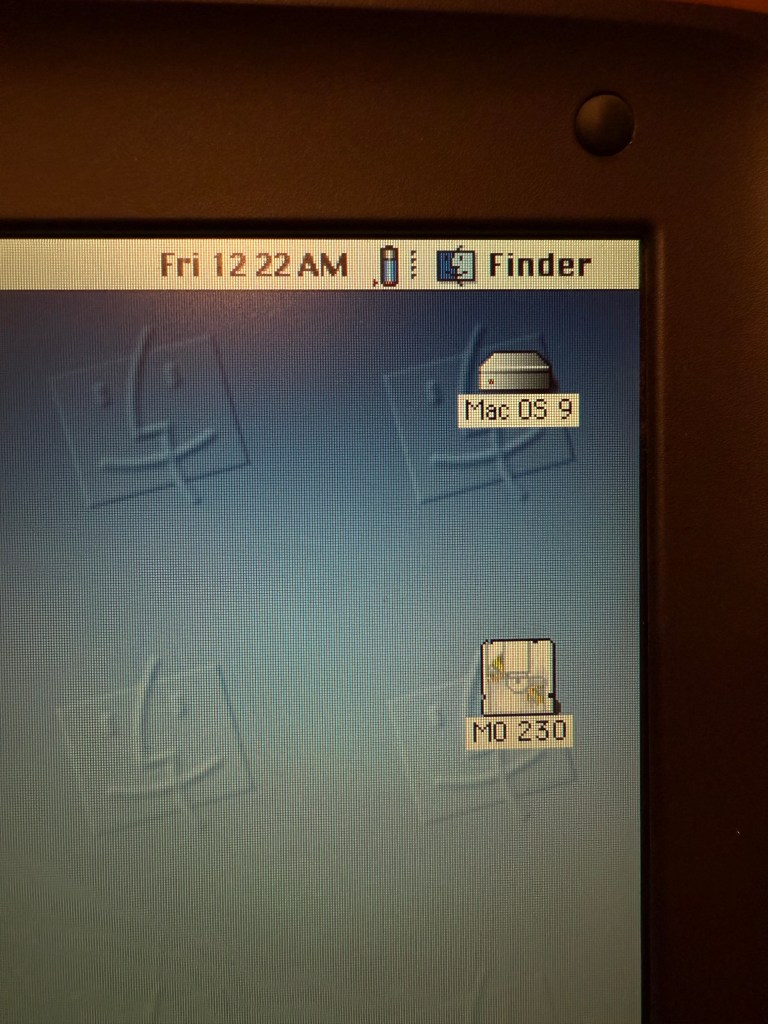
- I inventoried some of my removable storage drives, mostly CD-ROMs and a Magneto Optical (MO) drive bay for the PowerBook 3400c. Unfortunately the MO drive didn’t work, but it put me on the search path for a replacement. I eventually acquired two working MO drives to get that cd-as-a-floppy experience.
- I collected a bunch of neon transparent floppy disks of various kind because I’m obsessed with transparent plastic. I’ve got three different boxes of different brands with different shades of colors.
- I started collecting MiniDisc recorders, players, and discs. It just so happens that MiniDiscs really embraced the transparent plastic thing. #obsession
- I spent some time configuring PC and Mac emulators on my daily driver Mac (MacBook Pro M4) and have a pretty good set of systems configured. I explored emulators I hadn’t used before which provide accurate performance emulation and retro video effects.
- I briefly collected IBM ThinkPads and have a few running Windows XP and a few that need fixed.
- I added my first Palm OS PDAs in a long time – a few Handspring Visor models with expansion cards to round out my collection.
- Not retrocomputing related, but I also started a tiny collection of DSLR cameras and issues of Popular Photography magazine from the early 2000s. I took a bunch of photos with them over the summer and drafted some posts but lost interest in finishing them. I’ll get them out eventually.
A Busy Season
There are still a couple months of winter left, and once I get everything put back into place after the dryer’s done, I’ll spend a bit more time inventorying. Once spring hits I’ll take a break, go outside, and start taking photographs again. Until then, I’ll hang out with my old technology.
 Relatively Ambitious
One Reply to “”