
It’s becoming a busy season again for the Mac Museum. Here are some of my recent finds.
2009 MacBook Pro – $FREE
I found this at the Dover Recycle Center in a bin of miscellaneous electronics including TVs, printers, and some microwaves. It was very dirty and looked as if it had been kept outside but didn’t look damaged or picked over yet, so I grabbed it. I plugged it in when I got home and it booted immediately.

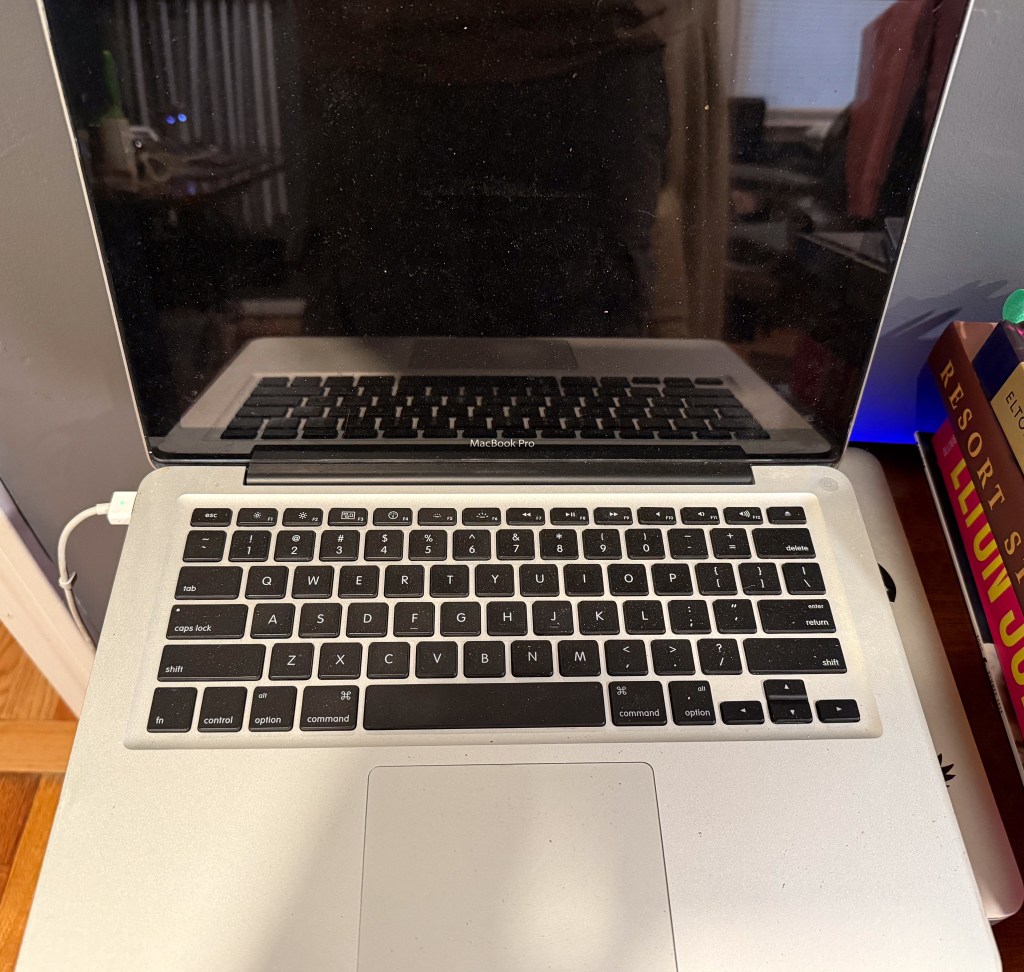
It’s a mid-2009 model, which was the “first” 13” MacBook Pro. I put that in quotes because it replaced Apple’s single-generation 13” MacBook (not Pro) that used the same unibody aluminum case. The Pro model added a Firewire 800 port, an SD card reader, and an integrated battery with higher capacity. Mine has a 2.53 GHz Intel Core 2 Duo processor, 4 GB RAM, and a 250 GB hard drive, representing the high-end model of that generation.
All of the hardware seems to work and the battery holds a charge. It’s eerily stock, having what looks to be a fresh install of Mac OS 10.7.5 Lion on it. There are no documents or other applications installed. Though I already own a couple of 13” MacBook Pros that are newer, I can’t pass up a working model that is completely free. A quick dusting and it will be back in service.
Lenovo Horizon 2s – $10

I try to go to Savers on a regular basis, generally leaving empty-handed, but sometimes I hit the jackpot. Have you ever felt like an 11” tablet was too small? How about a 13” tablet? Well what if I told you that you could have a 19.5” tablet, would that work?
Well that’s exactly what this is. Released in 2014, the Horizon 2s is a Windows 8.1 tablet with 4 GB RAM and a 500 GB spinning hard drive. It’s powered by a 1.7 GHz fourth generation Core i5 from Intel’s low-powered U series, has two USB 3.0 ports, and an SD card reader for connectivity. It could be configured with 8 GB RAM, but it’s soldered to the motherboard, so I’m stuck with the 4 I’ve got. It didn’t include a power adapter and I think that’s why it was priced at $10. I bought a universal laptop adapter that included the rectangular Lenovo tip that this uses and it booted right up.


The Horizon 2s is considered a “portable desktop” (yes there was such a thing back then – see its competition from Dell and HP), which can function as both a desktop and a ginormous tablet. The idea was that you’d use it at your desk (there is a kick stand and there was a dock) and then pick it up and tote it around the house from place to place when desired. Want to do some light surfing on your “tablet”? Just pick it up and take it to the couch! It includes some party-style games that are made to be played by multiple people at the same time sitting around two or four sides of the device. This includes an air hockey game that can be played with your fingers or optional paddles you lay on top of the display.
In terms of a PC it’s run-of-the-mill and it makes a weird tablet due to its enormous size. The party games are pretty limited and I can’t imagine it becoming a family device in many homes. Mine is in good condition and everything works; the battery even holds a charge for over an hour, which isn’t too far from its original capacity. Due to its limited RAM I decided to keep the stock install of Windows 8.1.
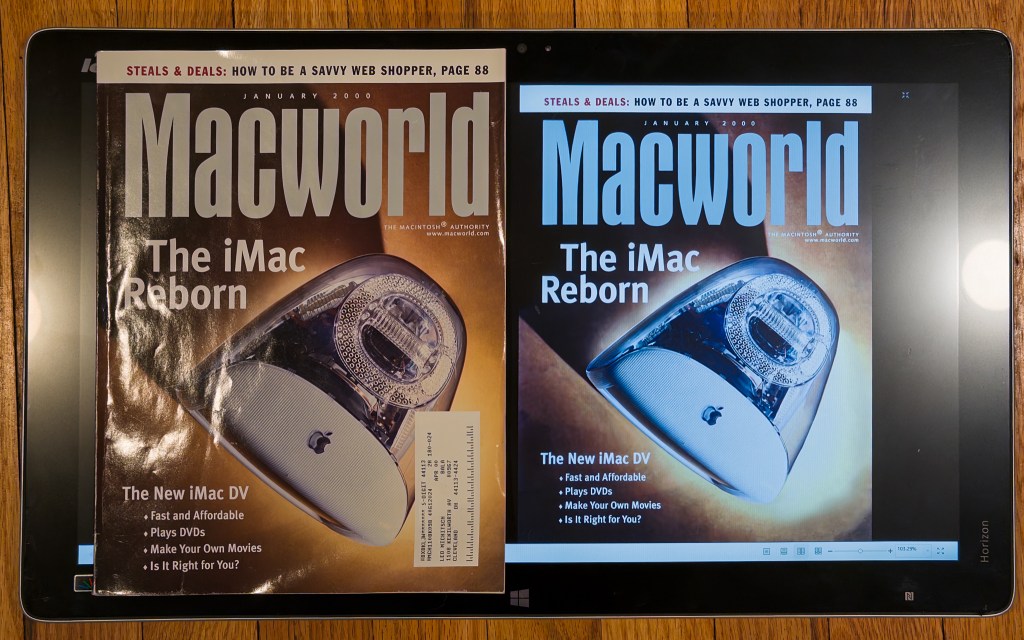


Lenovo no longer makes these, which isn’t surprising as their utility is questionable. While I never wanted to carry a 19″ monitor around with me, I have to admit this makes an amazing book reader. I loaded my collection of retro magazines on it and it’s pretty good. It’s wide enough to show two full pages at the same time legibly without zooming and the pages display almost as large as a real magazine. After installing a fast no-nag PDF reader (Fox PDF Reader) and swapping the 5400 RPM spinning disk for a 1TB SSD, it became a fantastic magazine reading machine. I actually use it on a regular basis.
IBM ThinkPad 760 EL – $80 (+$60)

This is one of IBM’s smaller notebooks and has an interesting keyboard that pops up at an angle when the lid is opened. It’s not the rare, coveted, and expensive butterfly design that fits a full size keyboard into a small laptop, but the angled design is still pretty unique. I’ve been looking for one of these sub notebook-style ThinkPads for a while and the tilting keyboard is an absolute bonus!


I’ve looked for these in the past but they cost $200 – $400 in working condition or were missing hard drives, batteries, and memory. I happened to bump in to this one looking for something else and it was offered at a great price. I bought it mostly for price; it didn’t include a power cord, was sold as-is, and didn’t even include any image to confirm that it had all of its parts. At a minimum I was looking to see how the raised keyboard mechanism worked.
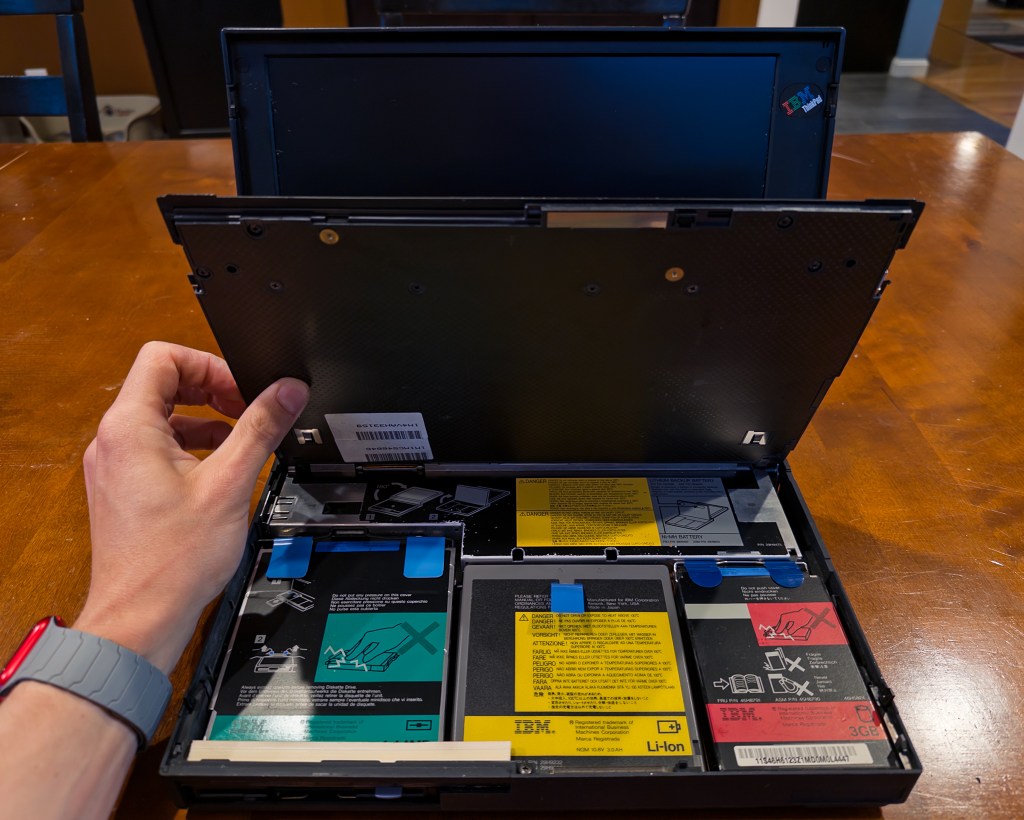

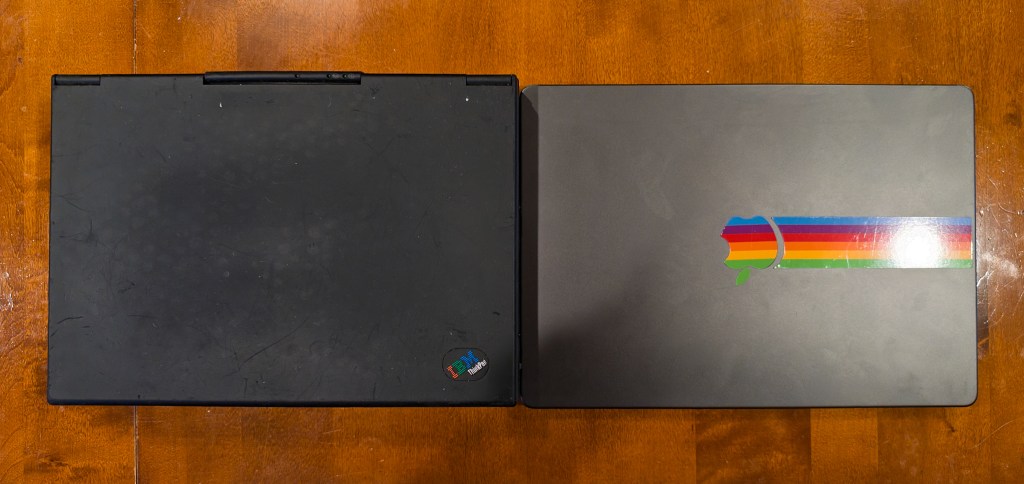
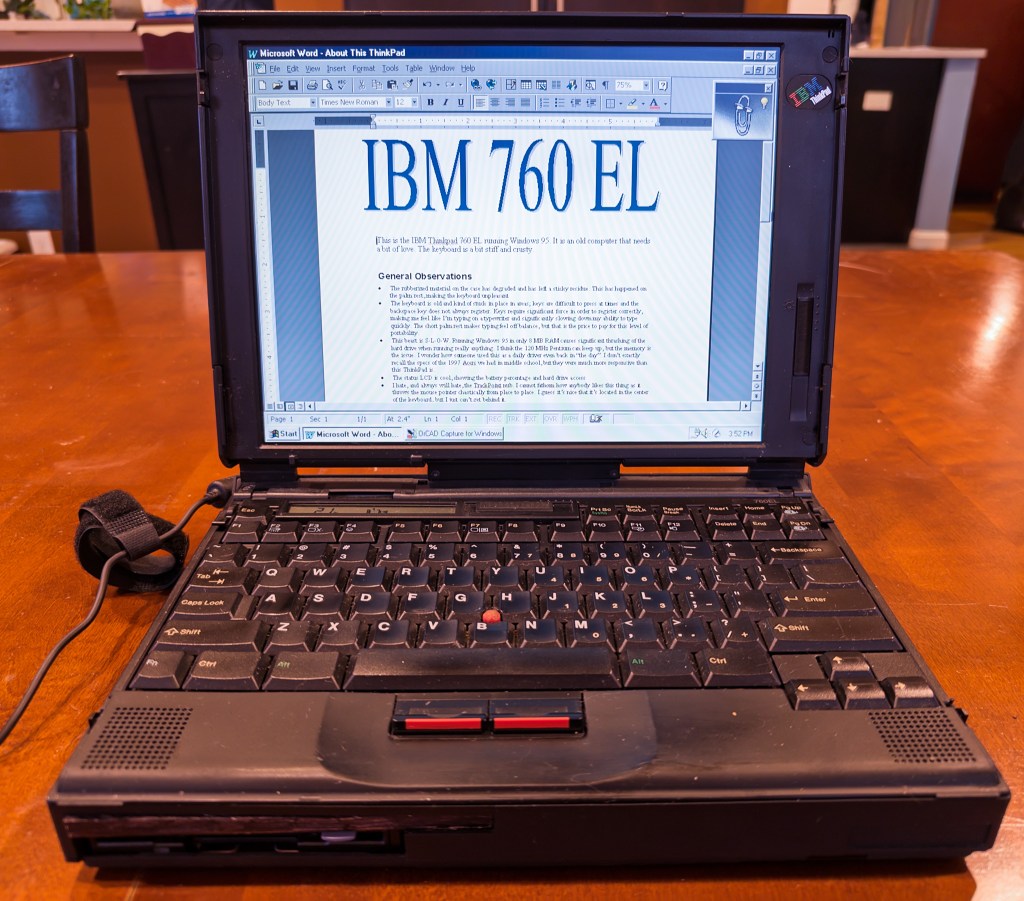

I paid $80 for it, but also purchased a power adapter for $60. It was a gamble, but I was happy when it booted to a functioning Windows 95 desktop.
While the AC port is a bit sensitive, the battery can hold a brief charge before quickly dropping. Inside is what I believe to be a 120 MHz Pentium MMX running Windows 95 from a 3 GB hard drive in 8 MB RAM. It has Office 97 installed along with some CAD programs used to design circuits and Borland C++. This was someone’s work machine and they left their work on it. It’s not in pristine condition with some cracks, a grippy coating that has degraded into stickiness, and a stiff keyboard. Everything works but it’s not necessarily comfortable.
The tilted keyboard is neat, but doesn’t really add much to the comfort of the typing experience. Two latches can be pulled to set it flat if desired. The keyboard also conveniently lifts up like a car hood to reveal almost all of the internals including the battery, motherboard, drive bay, and hard drive. This was common on many ThinkPads of this era and you will often see images of the keyboards flipped up on eBay showing that the machine is missing a hard drive or battery.
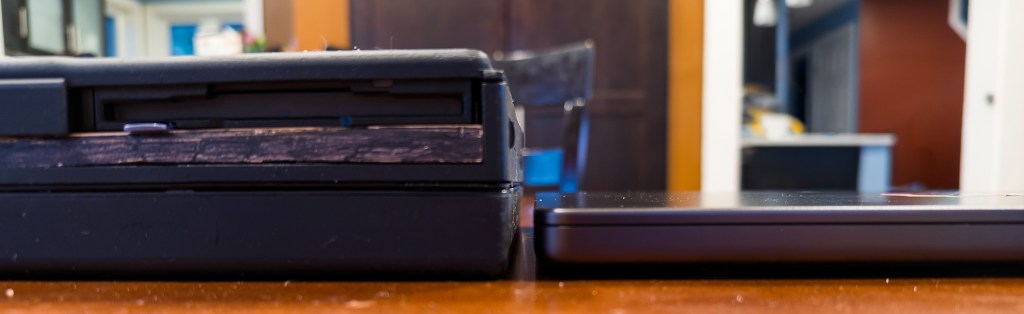
From a usage perspective it’s certainly slow. Everything takes ages to open or display which I think is mostly due to only having 8 MB RAM and needing to page out to disk every time something is clicked. It brings me back to the era of computing where every action was followed by seconds of thrashing from the hard drive. It’s “small” for the time, about the size of my M4 MacBook Pro, but boy is it thicc in comparison.
Dell AlienWare M17x R4 – $FREE

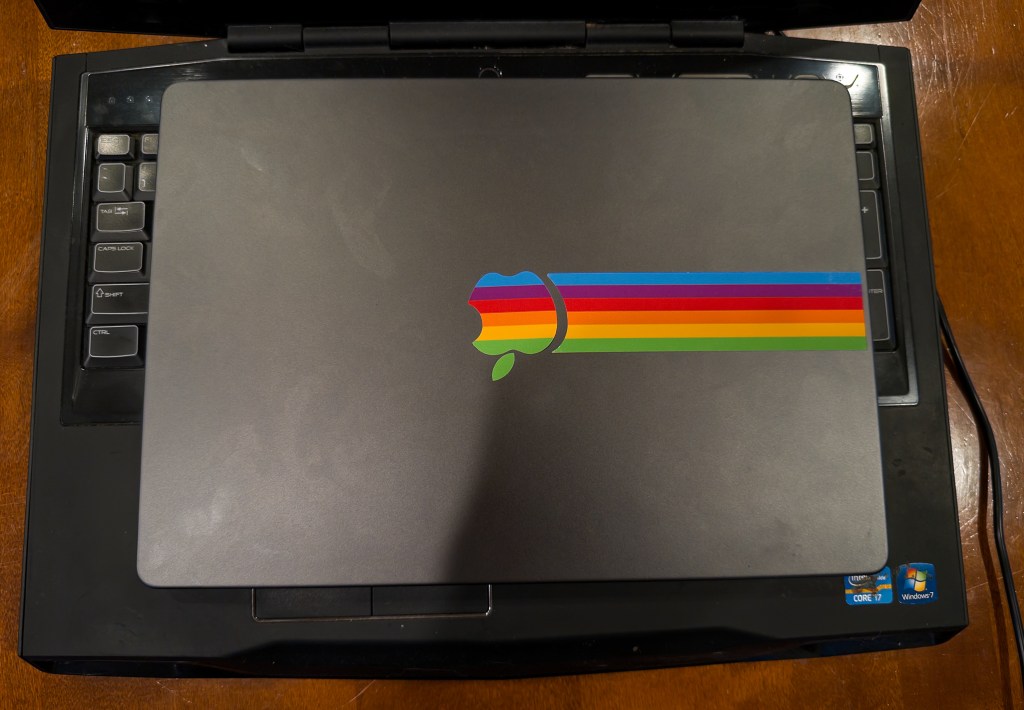
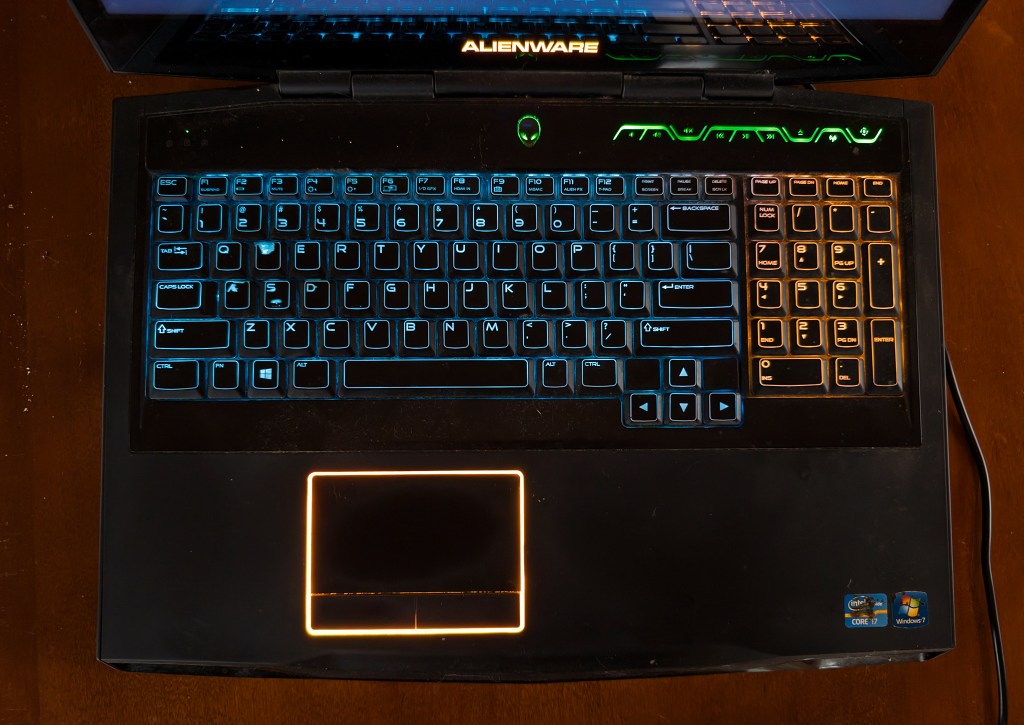
I found this in a bin at the Recycle Center, and didn’t expect it to work. I thought if someone was throwing out a high-end gaming laptop, it must be completely dead. After discovering it had not been picked over yet, and resisting a fellow trash-picker’s comments about how much he liked it and how he had a power adapter for it, I took it home. It booted to reveal an install of Windows 10 with startup issues, so I did a fresh re-install.
It’s reasonably spec’d with a third generation Intel i7, 6 GB RAM, dual 700 GB hard drives, and an AMD Radeon HD 7970M graphics card. It is positively huge; its 17″ 1080p display makes it so wide it can fit a numeric keypad next to the keyboard. Speaking of the keyboard, it’s pretty cool, lighting up in RGB colors along with the outline of the trackpad.
While it works and I was able to restore the software to it, I could not get any of the Alienware software installed or the graphics driver to work. It came out in 2012 and originally shipped with Windows 7 or Windows 8 and many of the software packages wouldn’t install under Windows 10. That leaves me with a system whose fans continuously run at full speed and cool RGB lights that I can’t change. I’m just surprised the thing worked at all – not bad for free. Maybe I’ll downgrade it to Win 8 at some point and see if I can get the Alienware stuff installed.
 Relatively Ambitious