
I really love a small laptop. I’ve owned many Apple laptops and my favorites have been on the smaller side – the 12” PowerBook G4, 13” MacBook Pro, and 14” MacBook Pro. I never owned any of the MacBook Airs because I always wanted the higher performance of the Pros, but I always found them intriguing. They weren’t just cheaper, they were smaller and lighter. I like the idea of being able to do “most” general tasks in a small and totable form factor, and am always awed by how much smaller successive models could be. I loved the 11” MacBook Air for its extremely small size while packing a full keyboard and finally got a couple in the last two years to play with. It’s a tiny but delightful machine. Next on my list was the 12” MacBook, an even smaller sub notebook, and one of Apple’s more controversial products.
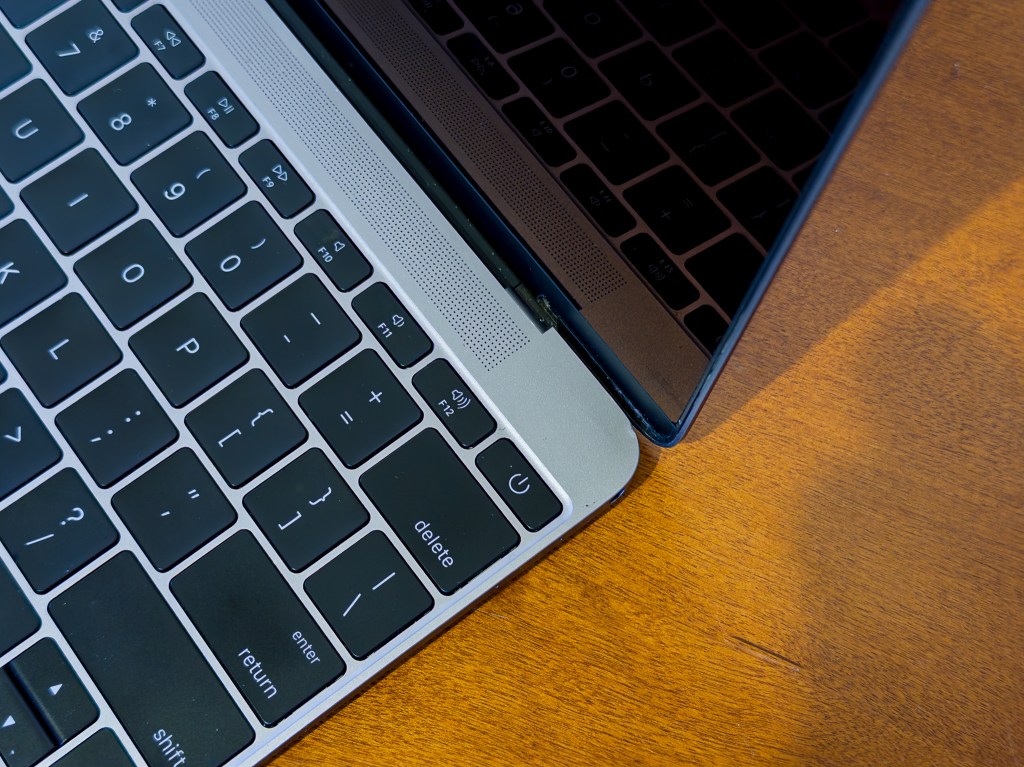
The 12” MacBook was introduced in 2015, reviving the MacBook name that Apple retired four years prior. Customers had been clamoring for a retina screen in a MacBook Air since it was introduced in the MacBook Pro in 2012, and Apple delivered, kind of. The 12” MacBook was Air-like in many ways, being both lighter and thinner than even the 11” model and it did include that Retina screen, but it was part of a different product line that was positioned somewhat upmarket. Neither Air model was replaced and in fact were refreshed at the same time. The 12” MacBook was a distinctly unique product and its base price of $1,299 was significantly higher than the 11″ or 13″ Airs’ $899 and $999 respectively. This is an unfair comparison as both Airs’ base configurations included less storage and memory than the MacBook, but it made the difference seem much larger in Apple’s product lineup1.
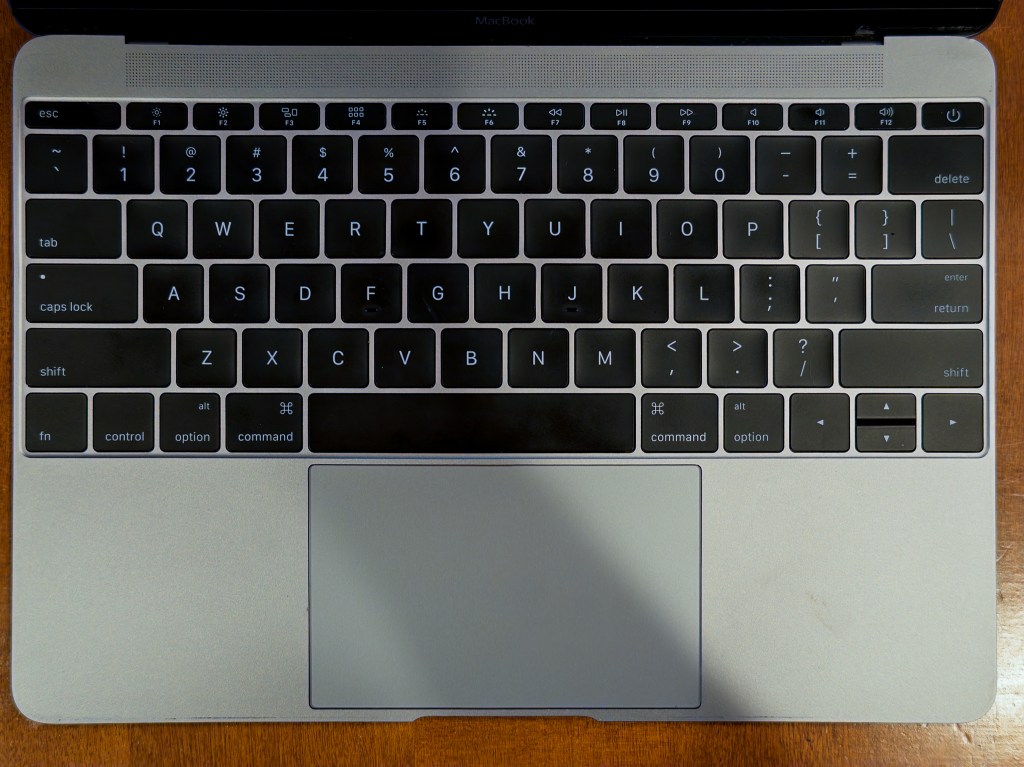
It’s design is ultra-minimal. The keyboard is full size but goes about as close to the edges of the case as possible without the keys falling off. We’ll come back to this 🙂 I absolutely love this look; it reminds me of an infinity pool where it appears your hands might just fall off the edge at any time (they don’t). It evokes the design of my 12” PowerBook G4, which pushed similar limits way back in 2004, and makes the frame around the 11” Air’s keyboard look obtuse and dated.
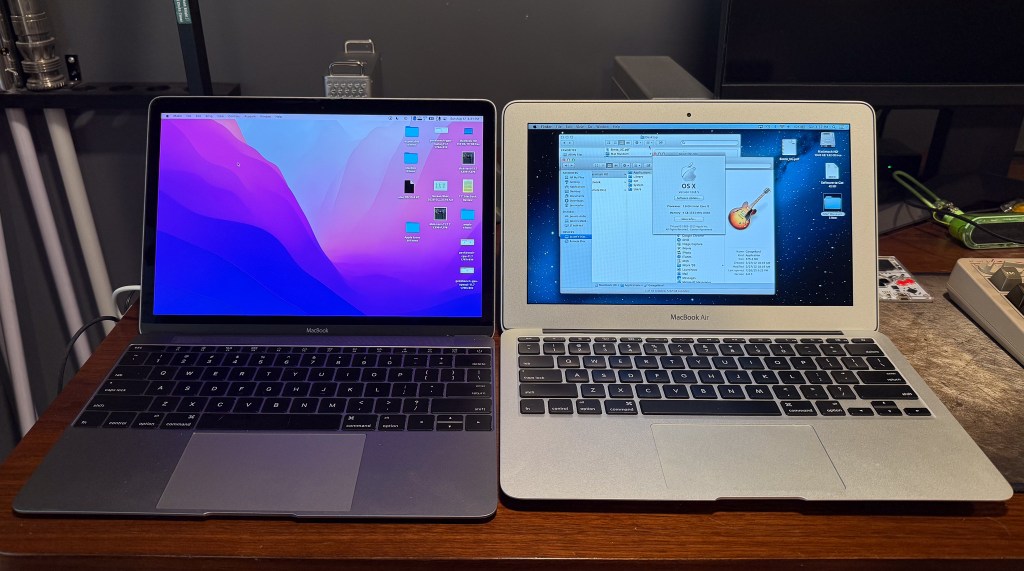
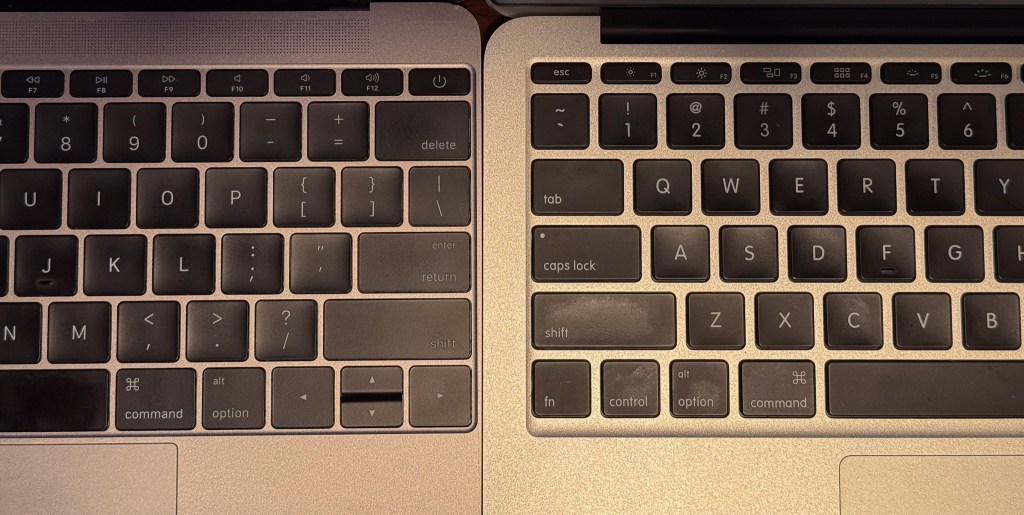
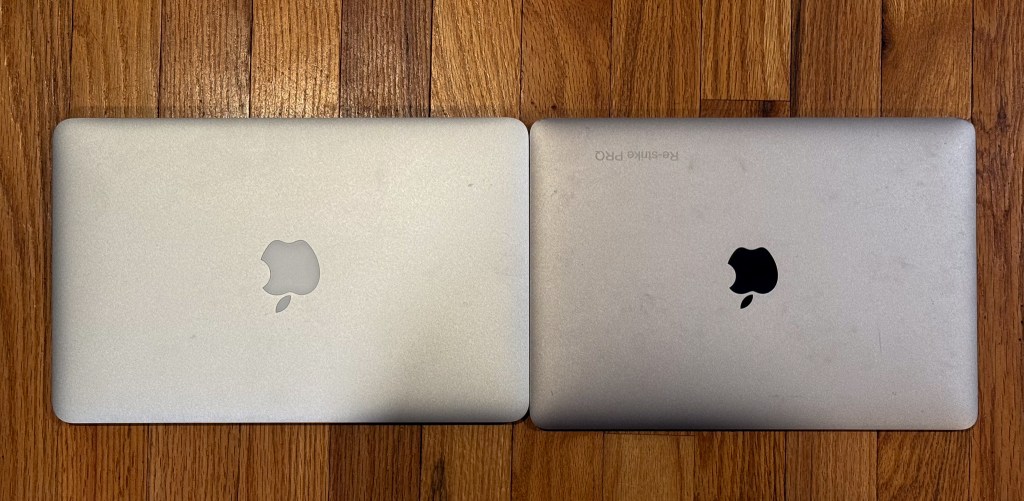

Below the keyboard is a large haptic touch trackpad that provides ample space for mousing around, just like the MacBook Pro. Above the keyboard is a large grate for the speaker, which lacks bass but has incredible clarity and volume. The screen itself is bordered in black, mirroring the Pro models and setting it apart from the silver-bordered Air series. Overall the 12” MacBook has a sleek, clean, and simple look when open.
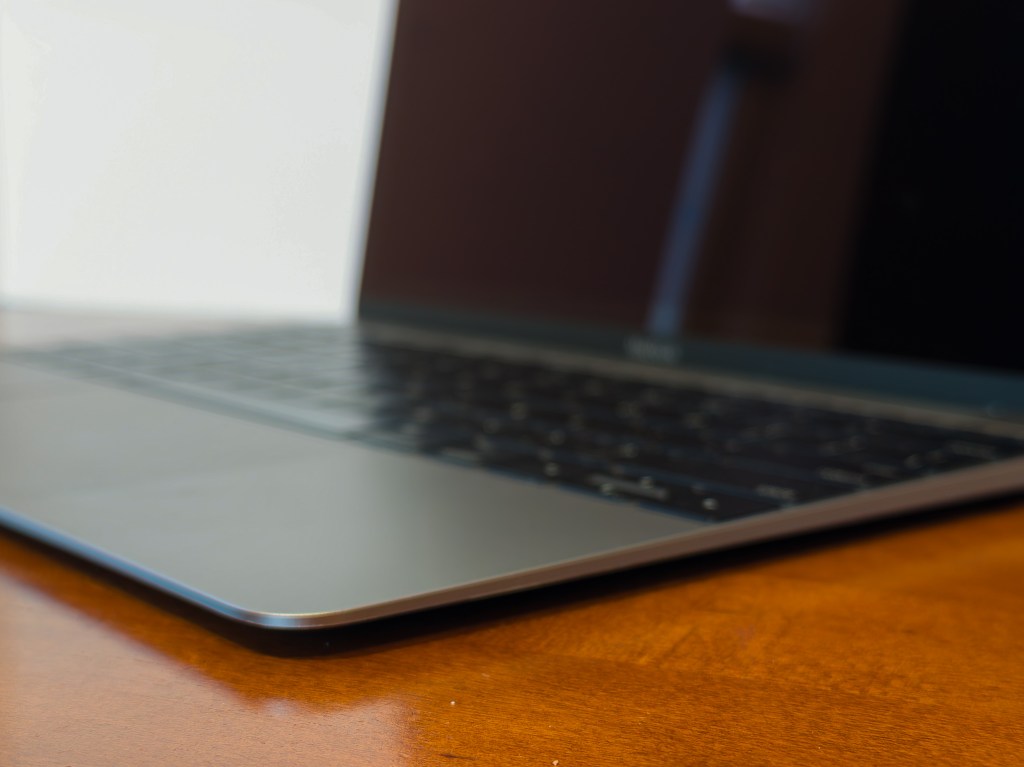
This is the pinnacle of Apple’s tapered design era where it tried to enhance the thinness of its products by tapering them toward the front. The MacBook takes this to the extreme with a razor thin front edge that weighs almost nothing yet is strong enough to balance the entire machine with two clasped fingers. It’s the tapered design of the MacBook Air in its ultimate form.
Controversy #1: Minimal Ports
The minimalism continues along the side of the case, with the left side including a single USB-C port. USB-C is everywhere now, and as of 2025 finally powers all Apple products, but it was new in 2015. Apple helped develop the connector which provided USB 3 (and later Thunderbolt) transfer speeds and enough current to run a laptop through a small connector that had no “upside down”. It was fully compatible with USB 2 and could carry power, audio, video, and data at the same time through a single cable.
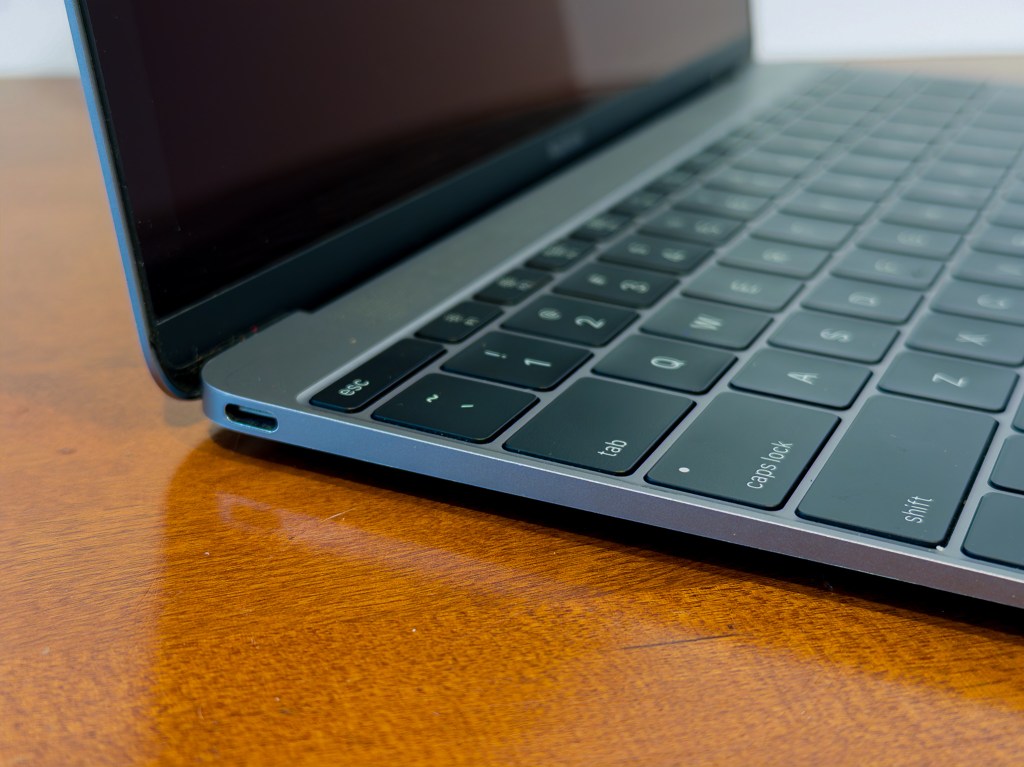
USB-C was great. Being the only port on the computer (aside from audio out) was not. The single port minimized size and maximized simplicity, but did so at the cost of flexibility. First, everything needed an adapter because Mac users didn’t own USB-C peripherals. Second, that single USB-C port was also the power to the machine. This meant that users had to choose between powering their MacBook or connecting anything to it, including a mouse, display, or or external storage. If they needed more than one function at a time, they needed to visit dongle-town.
Compare that to the MacBook Air, which included a separate MagSafe power port, two USB ports, and high-speed Thunderbolt. This made the pricing of the MacBook, even at equal configurations, questionable. The thinness and Retina display came at the cost of iPad level connectivity.
Controversy #2: Minimal Performance
In order to build a machine smaller than an 11” Air, Apple used Intel’s new M series of ultra low power CPUs. This resulted in a 67% smaller logic board, less heat, and a fanless case dedicate mostly to custom-shaped battery packs. The downside was that the 1.1 GHz Core M performed about 15% slower than the i5 in the Airs, earning it a reputation as a sluggish machine.
The performance of the Core M improved over successive generations, only matching the Air in its final 2017 update. When comparing performance at base price, the MacBook seemed overpriced. Choosing the mid tier or customizing the MacBook brought its price into MacBook Pro territory, whose 13″ model offered a better screen, more USB-C ports, and better performance. This performance compromise continued to place the MacBook an odd place in Apple’s lineup.
Controversy #3: Minimal Keyboard
Now back to that keyboard, the last, and largest controversy of all. In order to get the MacBook as thin as possible, Apple invented a new keyboard mechanism it called the butterfly, which reduced thickness by 40% over prior keyboards while increasing typing stability. The result was a keyboard with less travel and a shallower feel. From a typing perspective it’s serviceable, but not as comfortable as previous keyboards or the magic keyboard shipped with desktop machines. I had one on my 2016-19 MacBook Pros and it was perfectly usable, but not what I’d consider enjoyable. As soon as I started typing on the MacBook I was instantly transported to my time with the tippity-tap of the butterfly design.
While some didn’t like the feel of the butterfly keyboard, the bigger problem was the reliability. Because of the design of the mechanism and shallow key travel, any sort of crumb or dust can prevent a key from registering. The keys have so little space around them that it’s incredibly difficult to remove any debris and attempting to do so usually results in breaking the butterfly mechanism entirely. It was common for butterfly keyboards to have entire keys missing due to botched self-repairs. The result is a keyboard whose keys often stop working and require constant shaking and fast key pressing voodoo or one whose keys become irrevocably broken. Oh, and if you wanted a replacement you needed an entire top case since Apple fused the keyboard to it, making out-of-warranty repairs incredibly expensive.
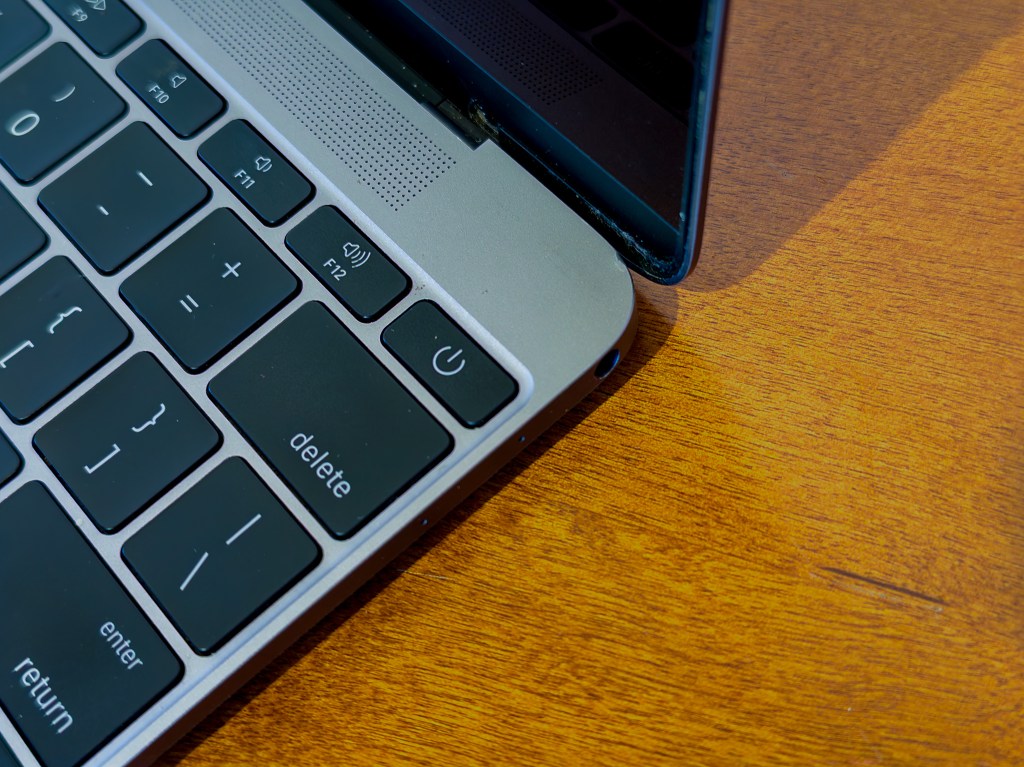
The butterfly’s reliability issues were so bad that Apple eventually launched a replacement program and lost a class action lawsuit for it. I had the keyboard of my 2016 MacBook Pro replaced through the program and the top case alone was worth $700. During its tenure the butterfly appeared on the 2016 – 2019 MacBook Pro and the 2018 Retina MacBook Air. It was widely criticized for its reliability and Apple made numerous attempts to improve it. Apple finally gave in and replaced it with the Magic Keyboard beginning with 2019 models, which returned the scissor mechanism, its travel, and reliability.
So the 12” MacBook was underpowered with a compromised port design and an unreliable and uncomfortable keyboard. Despite this it was updated in 2016 and 2017 with faster CPUs and second-generation keyboard that better sealed-out / handled debris. The MacBook line was retired once again in 2018 with the release of the true Retina MacBook Air, which incorporated many of the MacBook’s features. It included the same butterfly keyboard, a slightly larger 13” screen, two USB-C ports (now with Thunderbolt), and a Core i5 Y series CPU with better performance. The 11” model was dropped. The remaining Air was a bit larger, thicker, and heavier than the MacBook, but less compromised.
My 12” MacBook
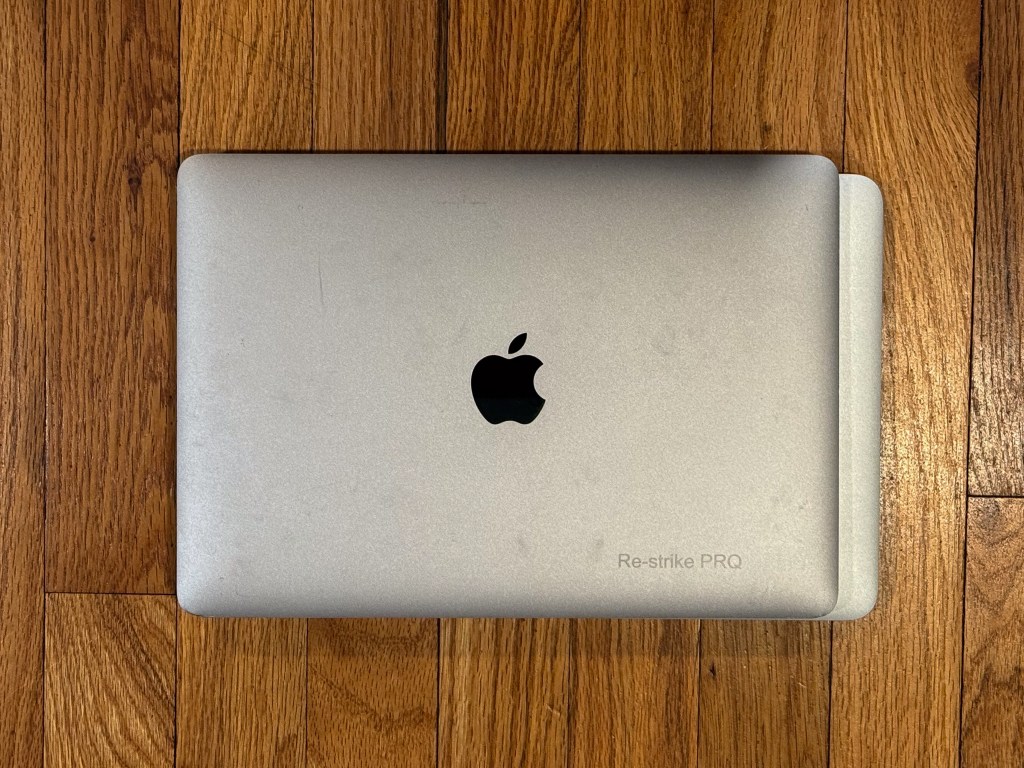
I’ve been looking for a MacBook for several years, waiting for one to fall into my price range. They usually sell for over $200, but I found a 2015 model in Space Gray on Goodwill’s website in good condition for $130 shipped. It has a small ding at the bottom of the screen, a few stuck pixels, and a logo silk screened on the top, but otherwise it’s in great condition. The battery has 130 cycles on it, the screen is bright, and all the keys on the keyboard work save for normal butterfly voodoo.
It arrived with macOS 11.7 installed, which is the latest official supported version. macOS 11 is from 2020 and can’t run the most modern browsers, so I upgraded it. I used Open Core Legacy Patcher to bump it to macOS 12, which was released in 2021 and saw its last security updates in 2024. It still runs most software, particularly browsers (Safari 17 from 2023 and the latest version of Microsoft Edge [140]). It’s also a bit smoother than the previous release and works great!


Typing on the good ole butterfly keyboard brings back memories of using the 2016 – 2019 MacBook Pros I used daily until a few years ago. Some of the keys were stuck and I had to repeatedly press them while holding the MacBook at various angles to move the cruft around and restore their function. Oh, the special needs of this very special keyboard. Lucky for me, all of the keys work after required massaging.
While incredibly thin, the major compromise of the 12” MacBook was its speed (and price). In order to build a small, fanless system in 2015, Apple had to use Intel’s very underpowered M line of CPUs. I don’t expect blazing performance from a 10 year old Intel machine, but mine had pretty significant delays when doing pretty much anything. Clicking an icon, opening a Finder window, launching an app, or loading a panel in System Preferences resulted in a significant pause before anything happened. Once things were opened they were usually fine, but the initial loads were slow. My disk speed test returned read speeds as high as 720 MB/s sequentially but as low as 27 MB/s for random reads. I suspected that my drive needed a reformat and it’s much more perky now that it has one.
As a Modern Mac
While a decade old, the 12” MacBook can still be used as a modern machine. With it I can connect to my iCloud account, share passwords, unlock it / enter passwords with my watch, leverage AirDrop, listen to Apple Music, and install recent versions of the apps I use. I’m running a browser that can talk to modern SSL websites, load pages, and run interactive javascript well enough.
Monterey performs well with 8 GB RAM and I could use it as a daily driver for email, news feeds, and writing if I needed to. I’m more likely to use it as a super portable writing machine / virtual Mac Museum with occasional internet browsing for research when needed. It’s limited in terms of its virtual museum capabilities due to its pokey performance, but it’s fine running x86 versions of Mac OS X and 68k / early PPC versions of Classic Mac OS. It’s not powerful enough to smoothly emulate the PowerPC systems QEMU supports, so early versions of OS X are out.
Though it’s barely more portable than a MacBook Air and not much more portable than my MacBook Pro, there’s just something about using the absolute smallest and lightest machine that intrigues me.
As an Indicator of the Future
There are rumors that Apple is going to release a MacBook based on the A18 Pro iPhone SOC in early 2026. For the last year Apple has been selling the 2020 M1 MacBook Air through Walmart for $649, which, if rumors are true, acted as a proving ground for a lower-priced product line. Now that the experiment has proven successful, Apple wants to bring it back in house. While the A18 Pro is an iPhone chip, its performance falls in between an M1 and and M2. It doesn’t support Thunderbolt, but it supports USB 3. Imagine if Apple could take the logic board of an iPhone and pop it into a laptop chasis with a couple of ports. Sound familiar?
I’d love it if this machine was a rebirth of the 12” MacBook with a few improvements. If Apple could squeeze in one more USB-C port, keep the audio port, use the magic keyboard from the Air, it could slip it into a design even smaller than the current Air. The A18 Pro would enable that smaller logic board, keep it fanless, and sip battery power to reduce the size of the batteries to lower the size and weight. At $699 it would be plenty powerful and would last all day. It would be a MacBook done right – small, light, and lower performance but for a lower price.
The rumors also state that it would come in colors including blue, pink, and yellow; can you imagine fun Apple laptops again? Even though I own a much more powerful system, and an original 12” model, I can’t say I wouldn’t be tempted.
In Memoriam
The 12” MacBook leaves a controversial legacy. Much like the original MacBook Air ushered in the age of unibody design, the MacBook set the stage for the future of Apple laptops. It actually was pretty full featured: it finally delivered a retina class display to Apple’s ultra portable lineup, it ushered in USB-C, it provided all-day battery life, fanless silence, and packed it into what is still the smallest and lightest machine it’s ever released.
It also brought compromise: an underpowered CPU, a single USB-C port needed for both data transfer and charging, and an ultra-thin keyboard that was at times merely uncomfortable and at others completely unusable due to a stray crumb. It forced users to trade the Retina screen for lower performance, and fewer ports, at a $100 premium.

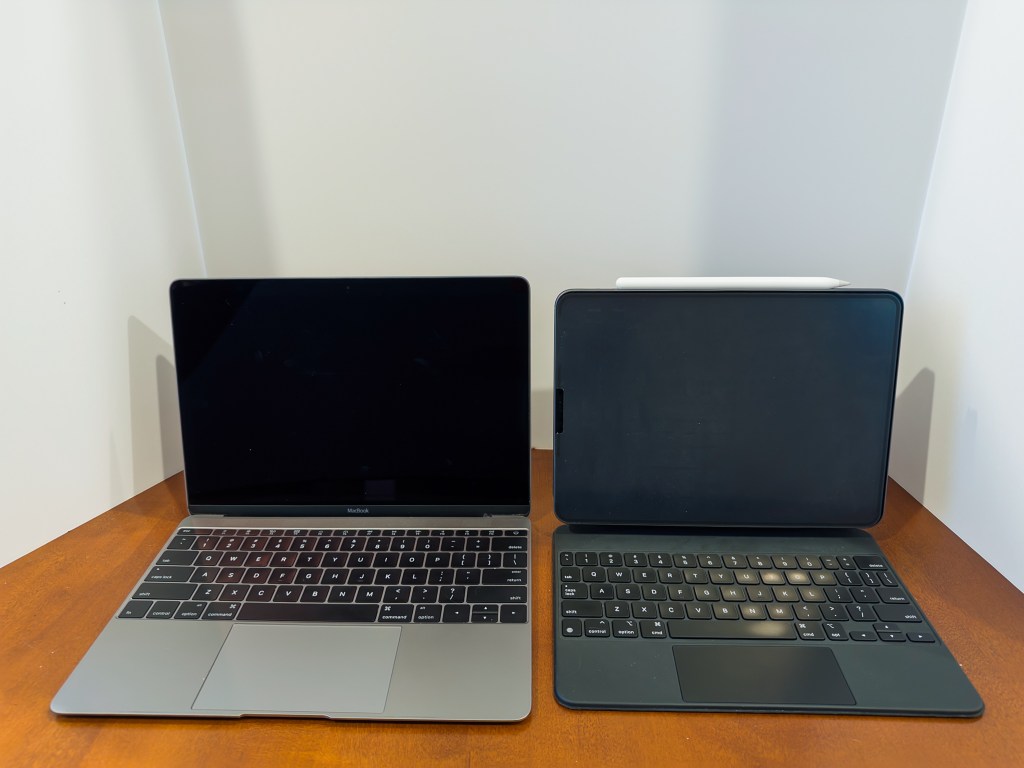
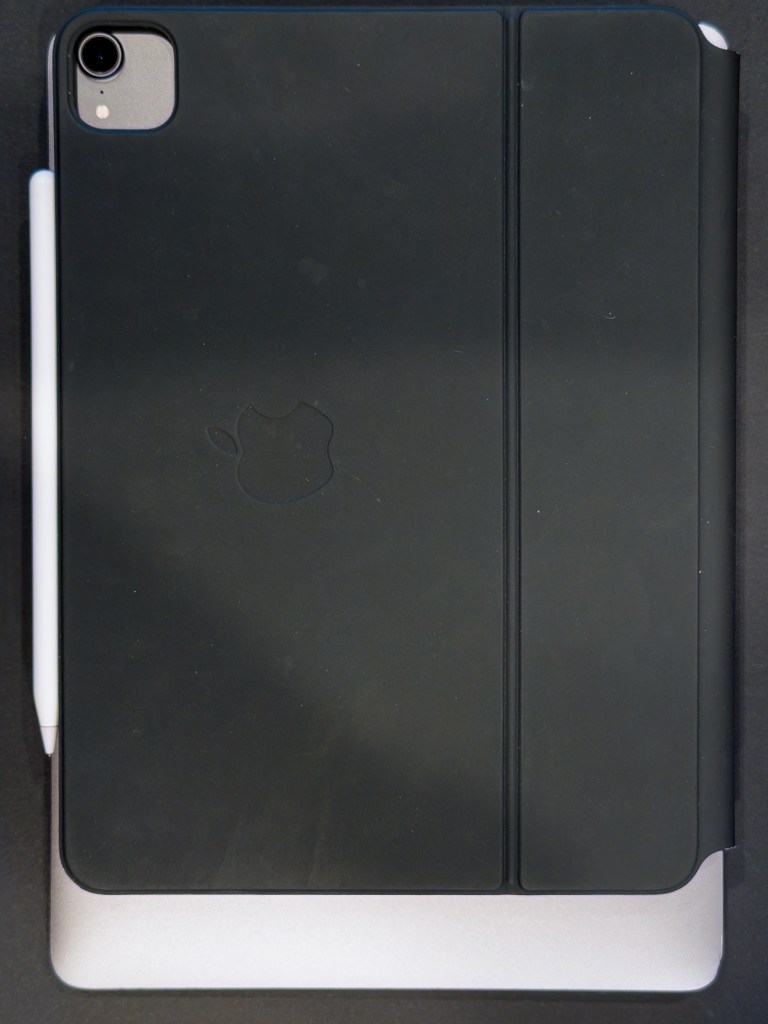

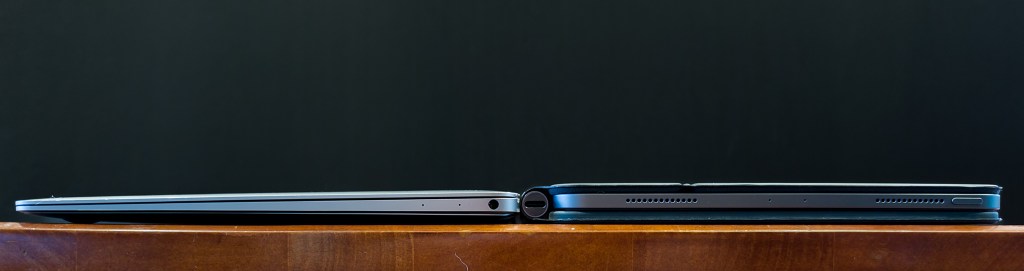
Many of these features made their way into Apple’s other products over the years, with the 2016 MacBook Pros reducing their ports down to 2 or 3 USB-C based Thunderbolt 3 ports (#dongleLife), a retina display finally arriving in the MacBook Air line in 2018, and a fanless design with all day battery life (with incredible performance care of Apple Silicon) arriving in 2020.
Despite its flaws, the 12” MacBook, even the original 2015 version, is usable, even in 2025. Would I use it as my daily driver? No. Would I use it for light web browsing, email, and writing? Sure. It’s small, light, and can get simple jobs done. If I could get my hands on a 2017 model with the 30% faster CPU and double the RAM, that might be tempting. Either way, it certainly makes a fine, focused writing machine in Pages or Zed, and it can certainly run VIM 🙂
Made on MacBook
Endeavoring to actually use the machine that is the subject of this post I wrote this article in Pages. Missing the skeuomorphic design of Apple’s past, I set the document background to a yellow gradient reminiscent of a sticky note, the body font to Noteworthy, and headings to Marker Felt. It was like writing an essay in Dashboard or Apple Notes of yore. I researched it using Safari and even edited it in the WordPress editor.

For the purposes of this article, my experience was surprisingly good. As a typing tool, the 12” MacBook works, even with the shallow butterfly keyboard. It’s small, it’s light, it can surf the web, and its battery lasts several hours on a charge. USB-C made it easy to charge and transfer files to and from; heck it even connects to my 4K display through my Thunderbolt 4 dock! Safari’s performance was acceptable and I was surprised that the heavy and slow WordPress editor UI was barely less performant than on my MacBook Pro. And, unlike most Intel Macs, my experience was totally silent, without sounding like an airplane taking off. But unlike all Apple Silicon Macs, it did get warm on the bottom even doing basic things like typing into Pages. I guess we just can’t have everything.
- In reality the MacBook was priced competitively against a similarly-configured Air: the same $1,299 as a 13” Air with the same storage and memory. Bumping the 11″ model to the same configuration brought its price to $1,199 ↩︎
 Relatively Ambitious
This article is well written. I also recently needed a laptop for meetings on the go; at the office I currently use a Mac mini (M4), and I suddenly remembered a 2017 12-inch MacBook — secondhand prices are around $100 now, so I picked one up. I’m currently searching online for which version of macOS would offer the best balance of performance and heat. Coincidentally, Google AI recommended your article.
LikeLike
Thank you. Glad you found it!
LikeLike