
Apple capped off a three-day product release extravaganza a couple weeks ago with what to many was its most anticipated product: a “cheap” MacBook. It’s been rumored for years, I wrote about it in November (see how my predictions landed), and it’s finally here. Say hello to MacBook Neo.
I’ll get to my thoughts in a bit, but let’s cut to the chase: this thing is cheaper than most people expected: $599 for the base configuration, $499 for education. Half the price of a MacBook Air, the same price as a Mac mini, and cheaper than the entry level iPad with a Magic Keyboard. In an environment where low-cost computers are going extinct due to soaring memory and storage prices, Apple, of all companies, introduces a new product into the category. If Apple can play its cards right it might be the only product in this category.
Who this isn’t for
Before I even get into the details, let’s talk about who the MacBook Neo isn’t for. It isn’t for:
- Photographers editing high-resolution RAW files1
- Creators editing complicated 4K videos2
- Hardcore gamers3
- H@ckerz looking to run AI models locally
- Tech people who love specs
- Mac snobs who want the absolute best product available
- People with tons of disposable income
- People who are not fun
- Me4
Who this is for
- Parents
- Grandparents
- Students
- People who don’t own a laptop or other computer
- People who subsist on a phone or a tablet but want a keyboard sometimes
- People who want to do what they do on their phones – edit videos and photos, browse social media and the internet, play basic games, email, chat, and type stuff
- In other words, casual users
So finally, what is it?

Ok, with that out of the way, let’s get into the deets. The MacBook Neo is a little bit smaller than a MacBook Air, a tiny bit thicker, less powerful, and half the price. Some of us were hoping it would be a spiritual successor to the 2015 to 2017 MacBook: something that was smaller and lighter than an Air, but also powerful enough and inexpensive. That’s more of a dream than a reality since small and light generally means expensive. Instead, Apple delivered something that was a little bit smaller, the same weight, powerful enough, but a heck of a lot less expensive. I think it made the right compromises to deliver a really, really great value.
The Neo is available in two configurations. For $599 ($499 for education) it includes:
- An A18 Pro chip, the same one that powered last year’s iPhone 16 Pro. Despite being designed for the iPhone, it delivers similar performance to the M1 in the now-discontinued 2021 MacBook Air Apple’s been selling at Walmart.
- An exactly 13 inch retina display that supports sRGB color
- 8 GB of RAM
- 256 GB of storage
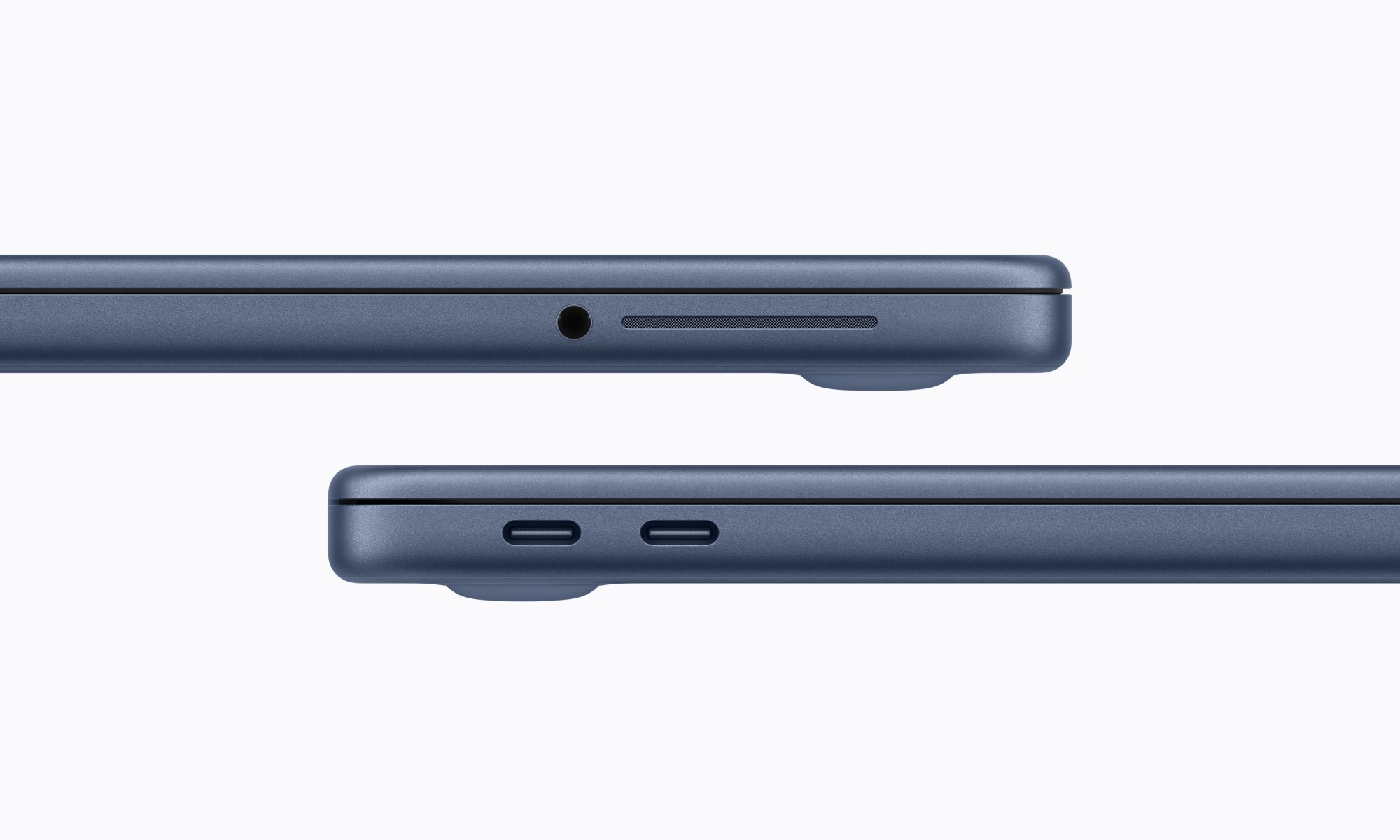
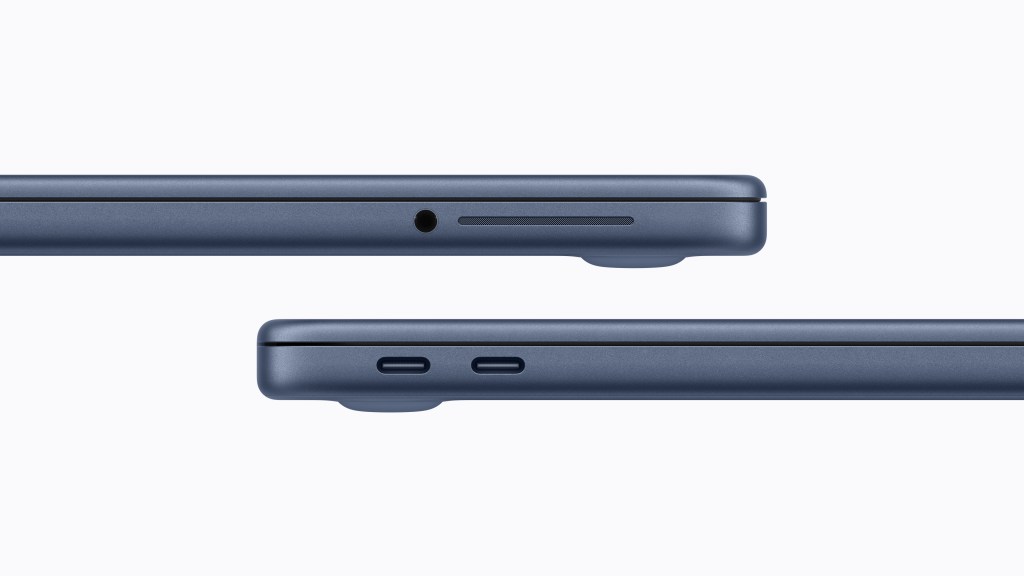
- Two USB-C ports
- A FaceTime camera, a magic keyboard, a multi touch trackpad, and dual stereo speakers
An additional $100 bumps the storage to 512 GB and adds Touch ID.

The best comparison to the MacBook Neo is the entry-level iPad, which when configured with the same storage and its own Magic Keyboard, costs $100 more than the base model Neo. For that price the iPad sports a smaller screen, an older chip, and lacks the power to run macOS applications.
While the M5 chip in the newly released MacBook Air is more than twice as fast, the Neo is less than half the price. That’s almost a perfect price / performance scale – 50% less cost for 50% less performance. Even with half the performance, this is still a capable machine, even on paper.
What Did Apple Cut?
While low cost, the Neo is every bit a Mac. It’s made of aluminum, shares an overall design with the MacBook Air and Pro, includes Apple’s famous Magic keyboard, has a glass buttonless trackpad, provides two USB-C ports, and runs all of the Mac apps that any other Mac can. To hit this price point Apple did have to make some compromises and, as expected, some things are missing when compared to other Macs. The FaceTime camera is not as good, the screen has thicker bezels around it (but no notch), the keyboard is not backlit, the touchpad is mechanical instead of capacitive, it doesn’t have MagSafe, and the audio isn’t as good. It’s also running a lower-performance chip that’s limited to 8 GB of RAM, delivers slower storage performance, and forces one of the USB ports to only support USB 2.0.

Many of these compromises matter a lot to traditional Mac users. Take myself for instance. I wouldn’t use a MacBook Neo as my daily driver. But a lot of people who aren’t me won’t miss these cuts. A lot of people just need a small machine with a permanently attached keyboard and trackpad for occasional work: to load a website that doesn’t load on their phone, to visualize work on a larger display, or to type out a longer message on a comfortable physical keyboard.
Casual users won’t know what they’re missing, especially those that haven’t used a Mac before. They don’t plug in high speed peripherals, don’t copy files frequently, and can’t tell the difference between a mechanical and capacitive trackpad. A backlit keyboard would be nice, but they won’t miss it if they’ve never seen it.
Real World Performance
I was curious how the A18 Pro would perform in a device with a larger thermal envelope, and apparently the answer is “no different”. According to Ars Technica, the A18 Pro still acts like its in a space-constrained device, aggressively scaling core speed to the point that it performs noticeably worse than an M1 in sustained workloads. While I expected Apple to tune the chip up with a larger cooling surface available, it likely didn’t to squeeze the most out of the Neo’s comparatively low-capacity battery. Apple deliberately left performance on the table in order to deliver longer battery life.

Memory is the focus of most reviews (and criticisms) of the Neo. Though macOS is generally pretty good, 8 GB can get tight if trying to run a lot of tasks. Various reviewers tested the number of tabs they could open and how many apps they could run and it all seemed fine. Light video, audio, and image editing is possible alongside web browsing, video watching, social media, email, and Rosetta 2 (as far as I know). It’s only when trying to push multitasking of complex multi-layered images, RAW image processing, or videos with many effects, that issues arise. It’s not that these things aren’t possible, it’s just that they are slower when they are. Heck, I used to edit RAW photos in Lightroom Classic and apply AI denoising on an 8 GB M1 MacBook Air and it was still faster than my Intel machine.
At the end of the day, the Neo isn’t targeted at people running complex workloads or doing a lot of multitasking on a regular basis- it’s targeted at people who need a laptop to go with their phone. Their phone which isn’t running a bunch of tasks concurrently or crunching large documents. The kinds of workloads a user would perform on their iPhone are perfectly suited to the 8 GB RAM and A18 Pro in the Neo. This device would be fine for Sally, for instance, who still uses my M1 MacBook Air, but only on occasion when her phone won’t suffice. When she does use it she’s usually opening a few Safari tabs and maybe a Word document. She’s an infrequent casual user: the perfect target for the Neo.
Fun Color
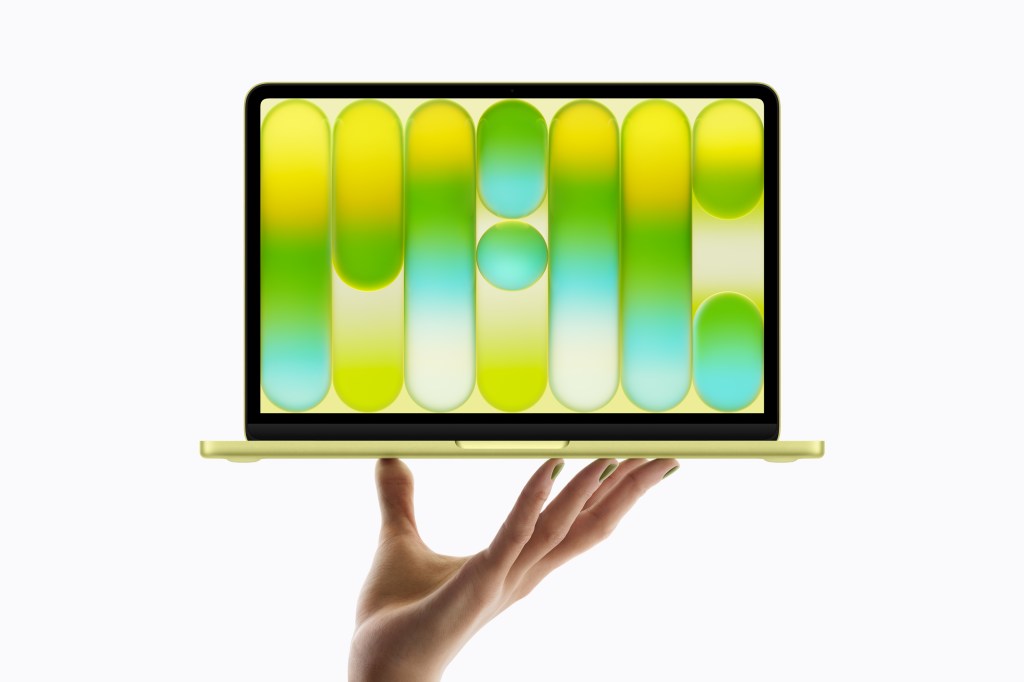
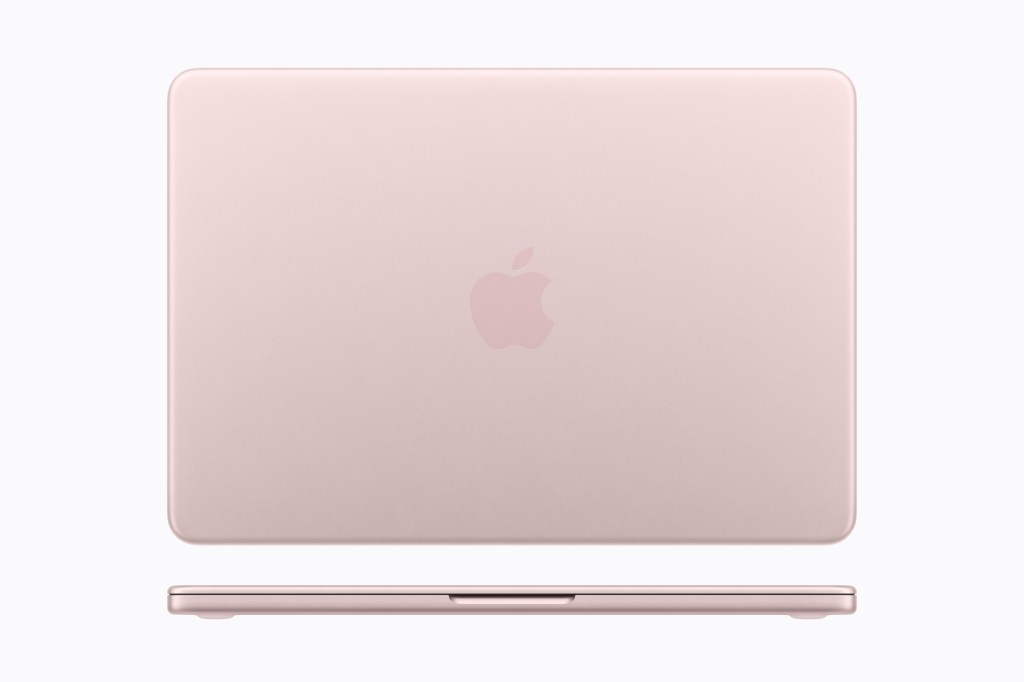
The Neo is the first Mac laptop since the original iBook to ship in real colors. While the MacBook Air technically ships in “colors”, sky blue is too silver to matter and the midnight, while nice, is too close to black to be a color. The Neo’s colors are distinctly recognizable as colors: pink, blue, and yellow / green. Oh and silver for boring people. In addition, the keyboards are tinted to mach the case colors; they’re still mostly white, but it’s a nice touch along with the color-matched feet and screws on the bottom of the case.
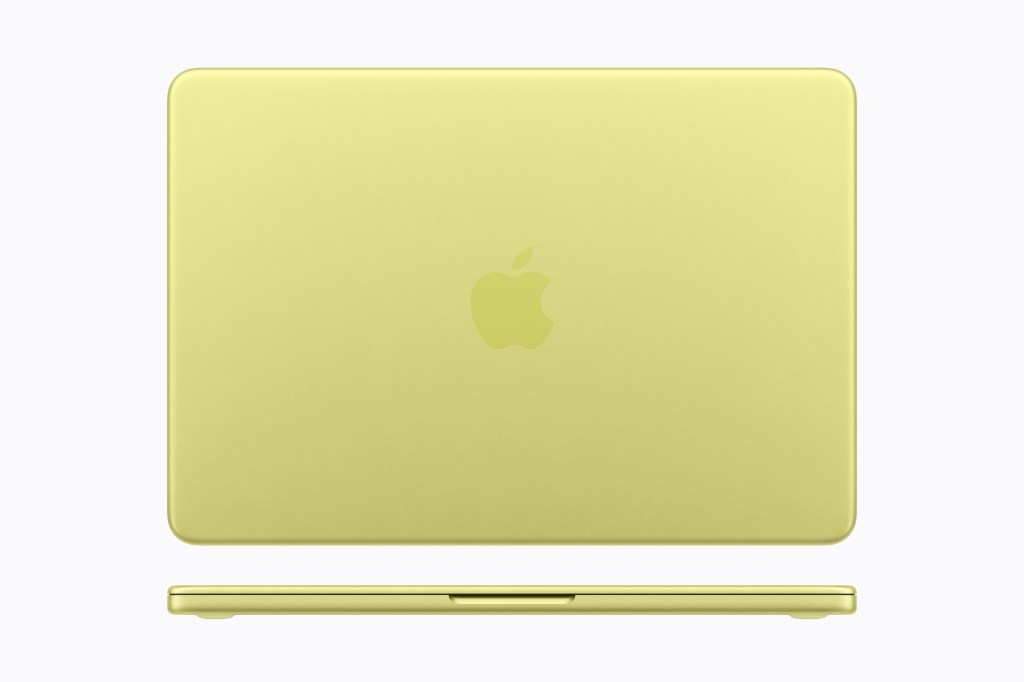
While the colors are refreshing, they aren’t as bold as the colors on the iMac, the entry level iPad, or the Cosmic Orange iPhone Pro. There are theories as to why Apple chose less saturated colors ranging from a reluctance to be too bold to wanting to avoid distractions for long sessions of use. The iMacs, while bolder, only use bold colors on the back of the machine, providing a less saturated version on the front that could be easier to look at for long periods of time. Apple could have done this for the Neo, but it would have increased costs.
Even so, color is color. These closely mirror the colors of the entry level iPad, further cementing this device as one of the ways to get into the Apple ecosystem. I hope Apple continues to use colors and I would love to see a bolder blue, an orange, and a crimson at some point.
In Person
Reviews have universally praised the Neo’s design, noting that it feels just like a MacBook Air or Pro. They case feels sturdy, the screen opens easily and stays in place at any angle, the keyboard is exactly what we’re used to, and the trackpad works well even without haptics. I looked at one at Best Buy briefly and I agree that it feels every bit like any other Mac laptop. The case is simple with thin bezels around the keyboard, two USB ports and headphone jack on the left, and a speaker on either side. The right side seems oddly clean with only a speaker on it.
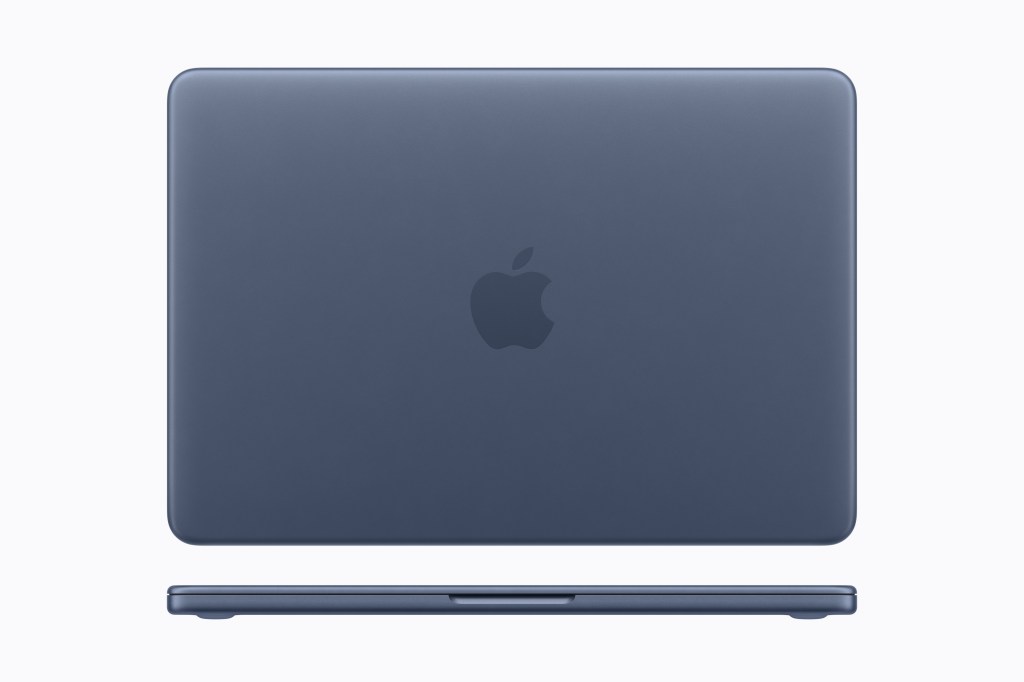
I really like the simplicity. It’s ever so much smaller than the Air and the thickness difference isn’t too noticeable. It feels sturdy and robust. I saw the citrus model and can confirm everyone’s comments that it’s more of a lime than a banana shade depending on the lighting and angle. All in all it feels like a solid laptop that would be far more comfortable to type on than an iPad with a Magic Keyboard.
Neo Next
One unknown about the Neo is whether Apple will update it every year like its other products. By using the prior year’s iPhone Pro chip, it could. In this case next year’s Neo would include an A19 Pro which would bump memory to 12 GB while providing a moderate performance boost. With its extended use in a MacBook established, we may even see a few additional features in future iPhones, like the secret ability to support two USB ports, for instance.
Apple could choose to update the Neo less frequently, which it has done in the past with the Mac mini, the entry level iPad, and the dearly departed iPhone SE. I expect yearly updates because it allows Apple to place larger chip orders with TSMC (and potentially Intel) to drive the per unit cost down. These are also binned chips with one of the GPU cores disabled, which, prior to its use in the Neo, would have simply been discarded.
I think we’ll see yearly updates.
Different Customers, Different Distribution
The Neo replaces the M1 MacBook Air that was on sale at Walmart in the U.S. That experiment was successful and the Neo expands Apple’s distribution to new areas. In addition to being sold on Apple’s website and its traditional retailers, the Neo continues to be sold at Walmart and even adds Target, which has never sold Macs before. This puts Macs in front of people who otherwise would not consider them at $1,000.

Well-Deserved Excitement
The MacBook Neo is a great package. I’m incredibly impressed that Apple was able to get the price down to $599. That’s the same price as an M4 Mac mini. Granted, the mini ships with double the memory and a chip that’s more than twice as fast, but it doesn’t include a screen, a keyboard, or a trackpad, and it’s not a portable. LCD screens tend to be pretty expensive in terms of components and to get a laptop to the same price point as your entry level desktop, for Apple, is impressive. This is a high-quality machine with a high-quality build at what previously was a low quality price.
Performance is adequate for casual computer use and the build, design, and capability elevate it above existing PCs in the same price range, which is already causing Apple’s competitors. Despite some feature cuts, reviews are unanimously positive on this product, and I am too.
- Though you can edit high resolution RAW files and complicated 4K videos, just more slowly. If you can handle that, then this computer is for you ↩︎
- You can also edit 4K videos ↩︎
- Gotcha! Nobody uses a Mac for hardcore gaming ↩︎
- Not as a daily driver, but as a machine more dedicated to writing and browsing, sure ↩︎
 Relatively Ambitious