
I’ve been taking a lot of photos lately and I’m a bit photoed out so I’ve drifted back into my vintage computer interest. In addition to looking for new items, I’ve pulled some existing ones out of the basement to catalog and explore. One such machine was a Toshiba Portegé 3500 from 2002. While touch screen laptops are pretty common now, Microsoft has had a fascination with them going back to the Windows 3.0 era. Back then they were navigated with a stylus and the Portege was one such example of Microsoft’s “Tablet PCs”.
The Portegé
At first the Portegé looks like a standard laptop with a keyboard, trackpad, and a 12” 1024 x 768 pixel display. Look more closely and you’ll notice the stylus nestled in the screen bezel, the buttons around the edges, and the rotating hinge that allows it to rotate 180 degrees around and fold back onto the keyboard. It’s very similar to contemporary convertible PCs, except it’s from the Windows XP era.
Selling for $2,300, the Portegé straddled the line between a notebook and a subnotebook, including a full sized keyboard and high resolution (for the time) screen, while omitting a CD-ROM or floppy drive. This combination resulted in a weight of only 4.1 lbs. Powering the 3500 is a 1.3 GHz Mobile Pentium III supported by 256 MB RAM and a 40 GB hard drive. The lack of removable media makes it feel like a subnotebook, but it has a generous variety of ports and other slots including 2 USB, VGA out, Audio in and out, Ethernet, a modem, IrDA, a PC Card slot, an SD card slot, and a dedicated CF card slot. It shipped with Windows XP Tablet edition.


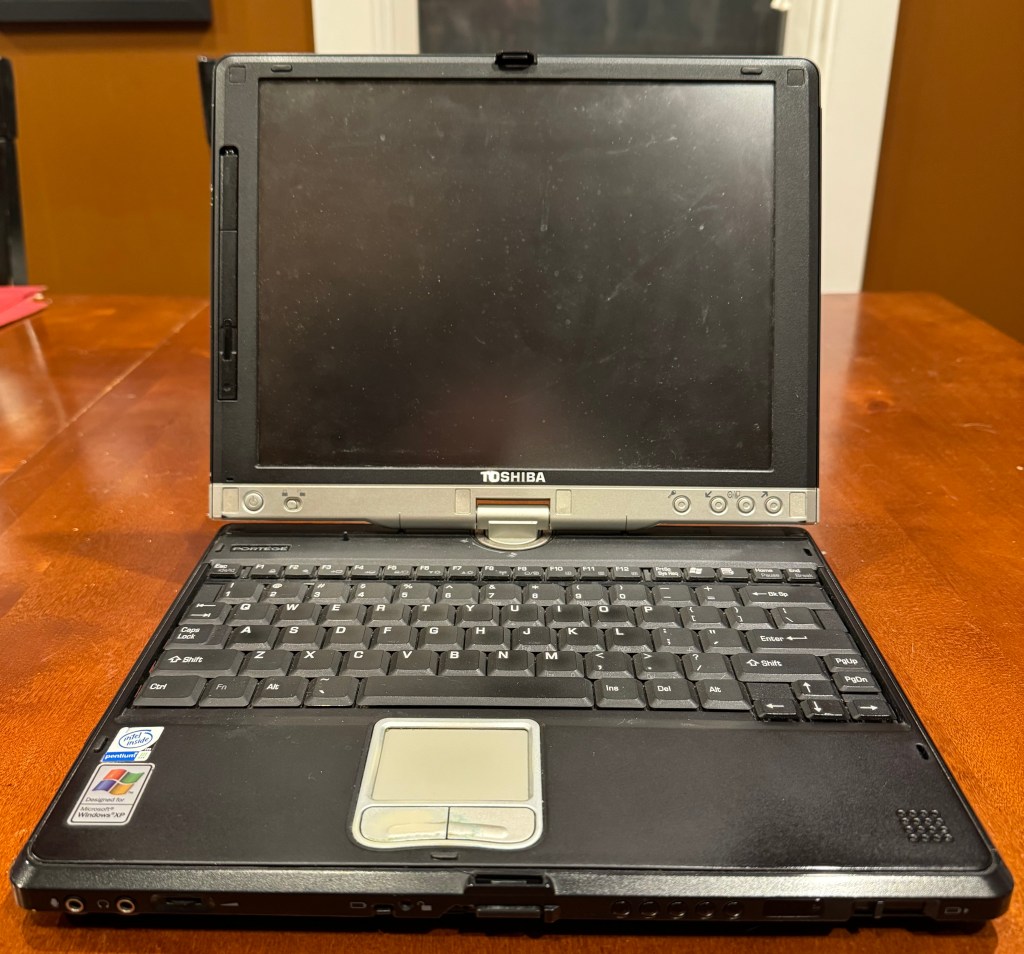


I picked up my Portegé 3500 in August 2022 for $100 because I like all of these pen / touch pc experiments. I was in high school when Tablet PCs were a thing and I always found them interesting while browsing my local Best Buy or Staples. I was excited to get this for a good price but was disappointed when I discovered it had only one user account and didn’t include the password. Luckily it also had a guest account that allowed me to get in and fiddle a bit, but I couldn’t install any applications, save any data, or even get on a network.
On Crack
I tried to crack the account, but to no avail – to do it I either needed to boot from a Linux live CD to reset the admin password or restore the entire machine with a Toshiba restore disk. While I found the restore image and a Linux Live CD, I couldn’t get it to boot off of my USB CD-ROM drive, the SD card, the CF card, a PC Card, a USB stick, or a USB floppy drive. I gave up at the time and put it back in the basement.
I pulled it out again recently and was determined to try again. After reminding myself of all the ways I couldn’t fix it, I thought of a new way: take the hard drive out, connect it to another PC, boot that PC from a Linux Live CD, and reset the password for the Administrator account. If the software allowed me to choose the disk to reset, I’d be gold. I happened to be working on an IBM Thinkpad that had both a bootable CD Drive and working USB, so I pulled the drive from the Portegé, plugged it into my IDE to USB adapter, and booted the ThinkPad from the Live CD. I lucked out and was able to choose the Portegé’s drive, erase the admin password, and get into the user account. BOOM!
A Solid State Upgrade
Once I was on the machine I installed the last version of Firefox that supported XP – version 52 (released in 2017, supported through 2023). As I played around I noticed it was a bit slow and the hard drive sounded a little clicky. Not wanting it to die completely, I pulled it out and used disk cloning software to make a backup image and then copied it onto a working 60 GB drive I had.
I’d been watching some YouTube videos from This Does Not Compute where Colin mentioned putting a CF-to-ide adapter into one of his old machines as an upgrade. I actually had a couple in the basement, but they weren’t in a 2.5” enclosure and I didn’t have one to fit them into. I also got lost in the details of finding the rare CF cards that worked in fixed disk mode and wondered if ATA SSDs had ever been manufactured. If so, maybe I could pick up an old one on eBay. I did a search and, of course, Amazon to the rescue. There actually exist ATA to m.2 and mSATA SSD enclosures. They’re cheap too – about $14. The m.2 and mSATA SSDs are also cheap – also $14 for a 64 GB chip from some Chinese brand. I wouldn’t put these in my main machine, but I’m not using an ATA-era machine on a daily basis so I figured I’d try them.
Mixes, Matches, and Razor Blades
The first lesson I learned is to pay attention to the type of enclosure and SSD to buy. Don’t, for instance, buy an enclosure designed for m.2 SATA and SSDs that are mSATA format – they won’t fit. To right the wrongs I ended up buying new mSATA enclosures and m.2 SSDs for a total of four 64 GB drives and about a $56 investment.
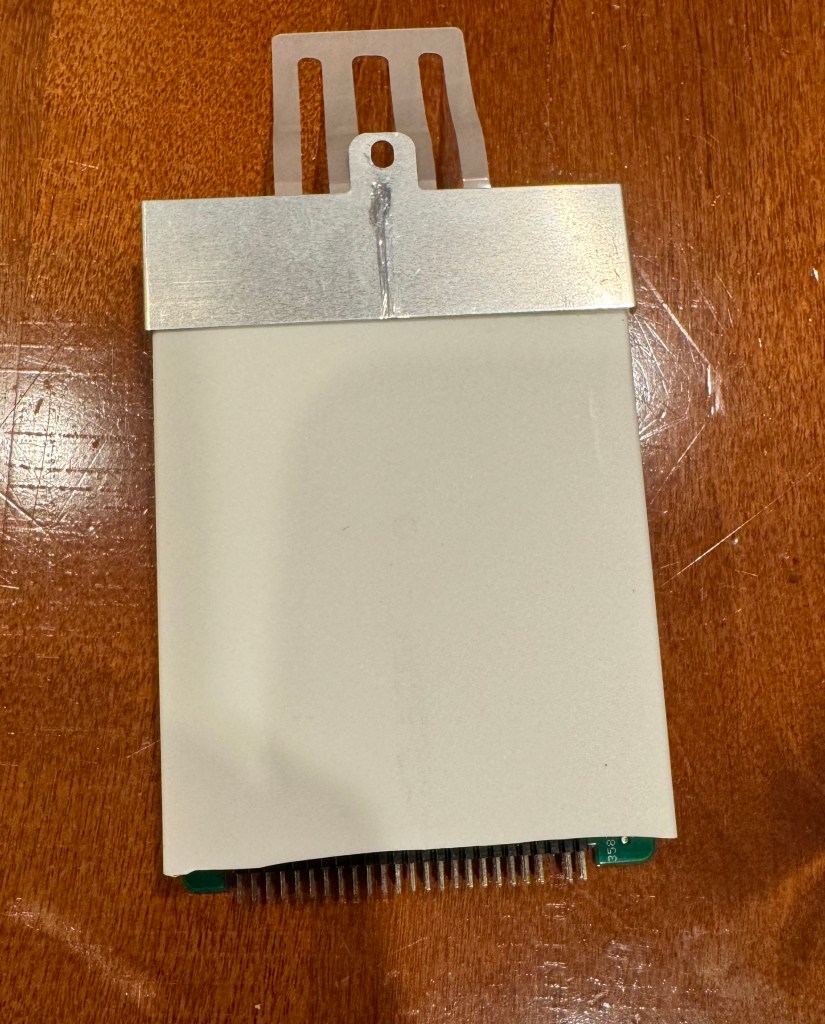


Assembling the drives was easy: pop in the SSD, screw it down, and screw the circuit board to the bottom of the enclosure. Shoving it into the Portege was more involved. I attached the bracket from the hard drive to it and slid it into the slot but it only went about 95% of the way. I thought it was getting stuck on some pins protruding from the board and became fixated on it before realizing that the ATA connector of the hard drive was exposed versus the SSD’s encased in the enclosure. Luckily it was plastic and I was able to use a razor blade to cut it away.
Results May Vary
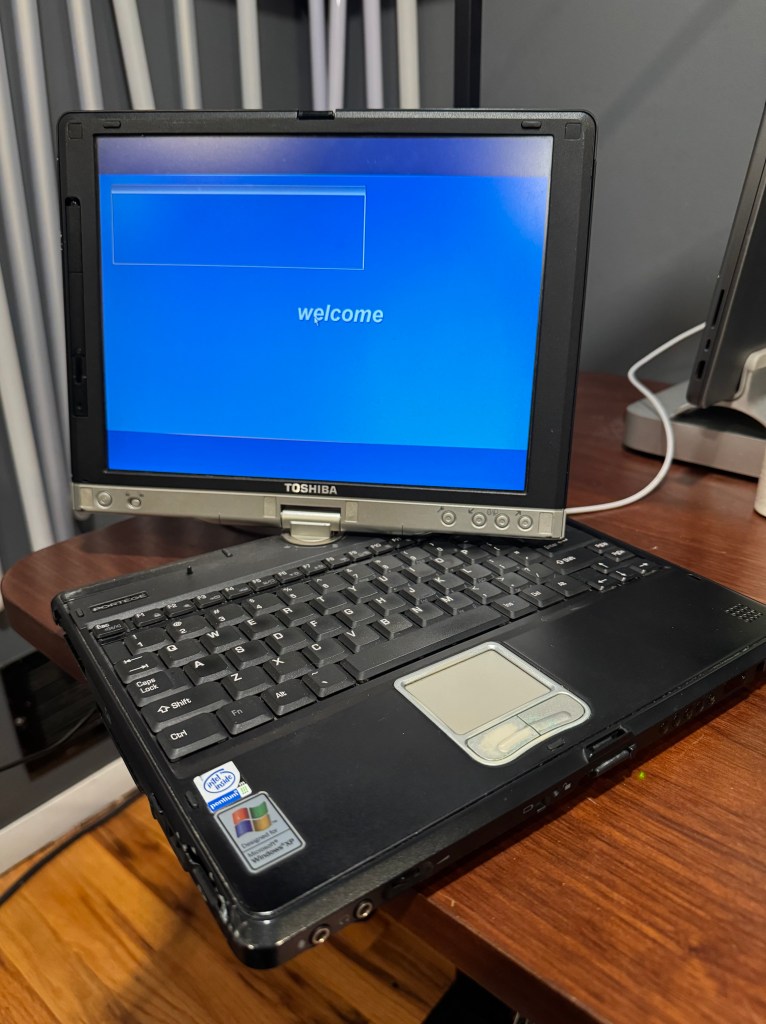
My new ATA SSD fit and booted quickly. Once running, the tablet wasn’t dramatically faster than it was with the spinning hard disk, but I noticed a bit of difference. That particular machine is extremely CPU bound, but the SSD definitely made it snappier. It felt odd that a machine from that era was completely silent… until it wasn’t. Soon after boot, it started making a clicking noise, which turned out was from its CPU fan turning on and off every 10 seconds or so. Perhaps the hard drive wasn’t bad after all?
Oh well, it was a fun project and I’m glad that I can now explore my 2002 stylus-based convertible laptop without restrictions.
 Relatively Ambitious
2 Replies to “Cracked & Restored”