
The thing about having old computers is that parts inevitably fail and replacing them becomes more difficult as time passes. The most common items to fail are hard drives, and replacement drives are getting rarer and more expensive every year. Luckily, thanks to the ingenuity of the retro computing community, there are modern ways to replace those parts using abundant and economical technology.
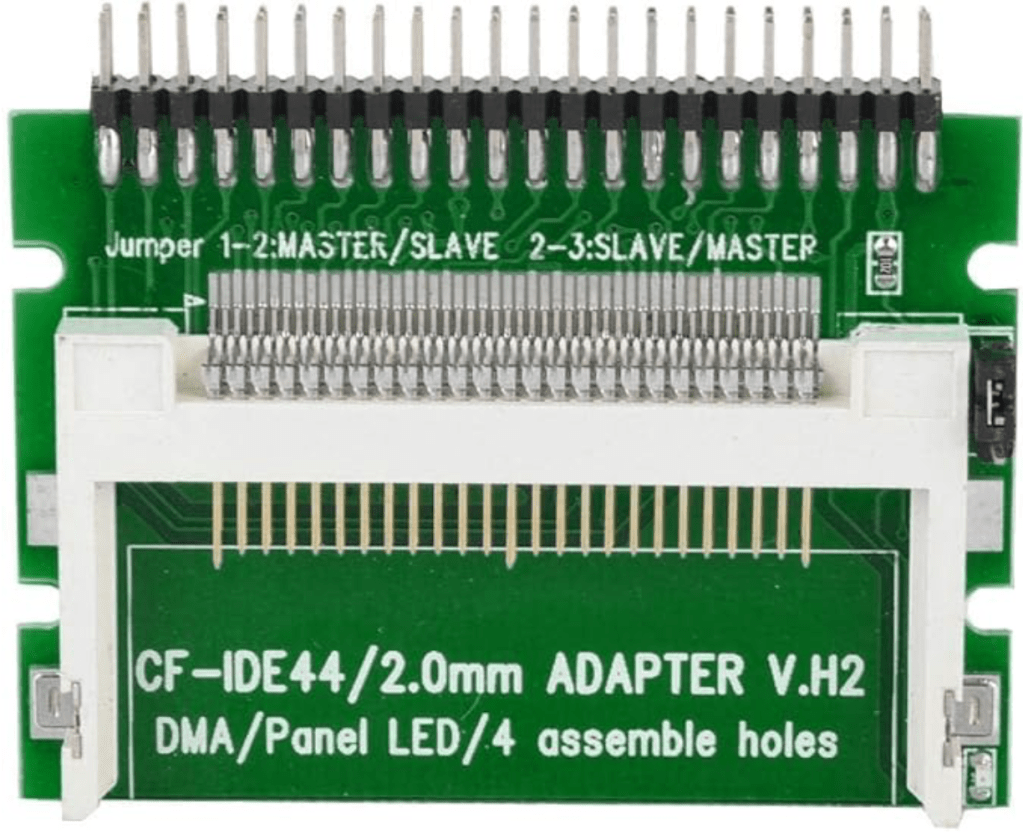
One way to do this is through a CF to IDE adapter. Before I learned about SSD to IDE adapters, I bought a couple CF to IDE adapters to try out in my Macs. I never ended up using them, but wanted to give them a go once again. CF to IDE adapters are very simple because CF Cards are already designed to the IDE standard and can function as a standard storage device. That makes the adapters cheap and the storage abundant, though CF cards are a tad expensive compared to SD cards, even used and at small capacities.
There are also a couple challenges with CF to IDE adapters. The first is finding a CF Card that will function as a boot device when plugged into an adapter. In order for this to work, the CF card needs to support fixed disk mode, which is not common as most are destined for digital cameras which require removable disk mode. The mode can be changed on some cards and brands while not on others and the product descriptions / specs don’t always indicate what they are set to.
The second issue is durability. Flash storage works differently than magnetic storage in that its bits can only be written a fixed number of times before it becomes unwritable. The number of times is high (in the tens to hundreds of thousands or even millions), but being the main storage for a day-to-day computer creates a lot of writes. In order to mitigate this and extend the life of the memory, some CF cards use techniques such as wear leveling to spread writes out over the card.
Finding a CF card that supports both fixed disk mode and wear leveling is challenging and it’s not often clear what is supported by various cards. Typically “industrial”-rated cards satisfy these requirements, but not always. Finding cards with this combination of characteristics is part of the reason I didn’t try out my CF to IDE adapter until now.
My Project
After having good luck replacing my Toshiba Portegé’s hard drive with an SSD, I decided to hunt down some industrial CF cards and try out my CF to IDE adapter. I didn’t have a system that was in immediate need of a drive, but figured I could pop it into my 1998 PowerBook G3 Series with relative ease to test it out. I purchased a set of six 4 GB CF cards for $33. They were Apacer Industrial CF5 Extended Temperature cards and there was a chance that they would work. I wouldn’t know until I tried. I purchased the CF to IDE adapter from Amazon for under $10.
Before taking anything apart, I tested the CF card in a CF PC Card reader on my PowerBook to make sure it worked. It mounted as a PC drive and was readable. I took the opportunity to format it with Apple’s Drive Setup under Mac OS 8.5 and attempt to update its disk driver. If the format or driver update didn’t work, it would be unlikely to boot the PowerBook. Both operations completed successfully, so I thought I’d save myself a system install and copy over the System Folder from my internal drive and bless it to make it bootable. Turns out that perhaps I did have a drive that needed replacing: two separate attempts to copy the System Folder resulted in a loud clunk from the internal drive and a completely frozen Mac.
Since it appeared that I had an actual hard drive problem and not an issue with the CF card, I proceeded to take out the internal hard drive and install the adapter. I initially ran into a problem with the adapter because it didn’t fit into the IDE connector on my Mac. IDE connectors are missing a female connection for one pin so that the drive or cable is not inserted upside down, but the CF adapter still had a pin in that position which prevented a connection. After carefully identifying the pin on the adapter I used tweezers to flex it back and forth until it fell off. I was worried that I had it upside down and I was going to ruin the adapter, but I tried to be careful and orient it the same way the internal drive was when connected.
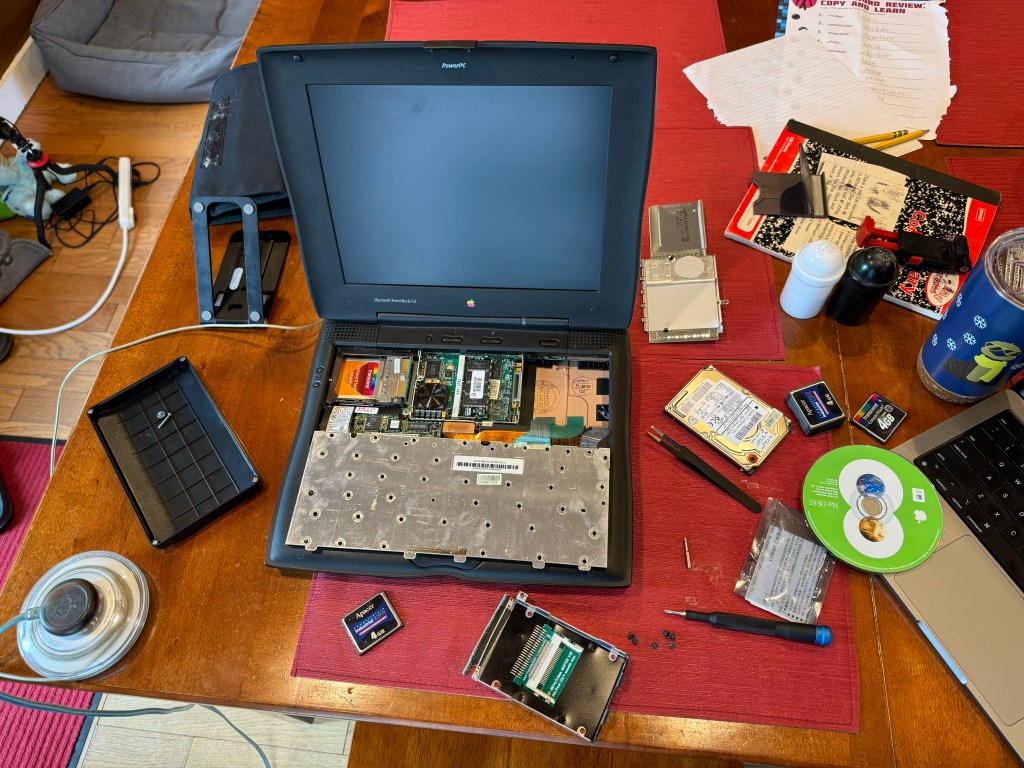
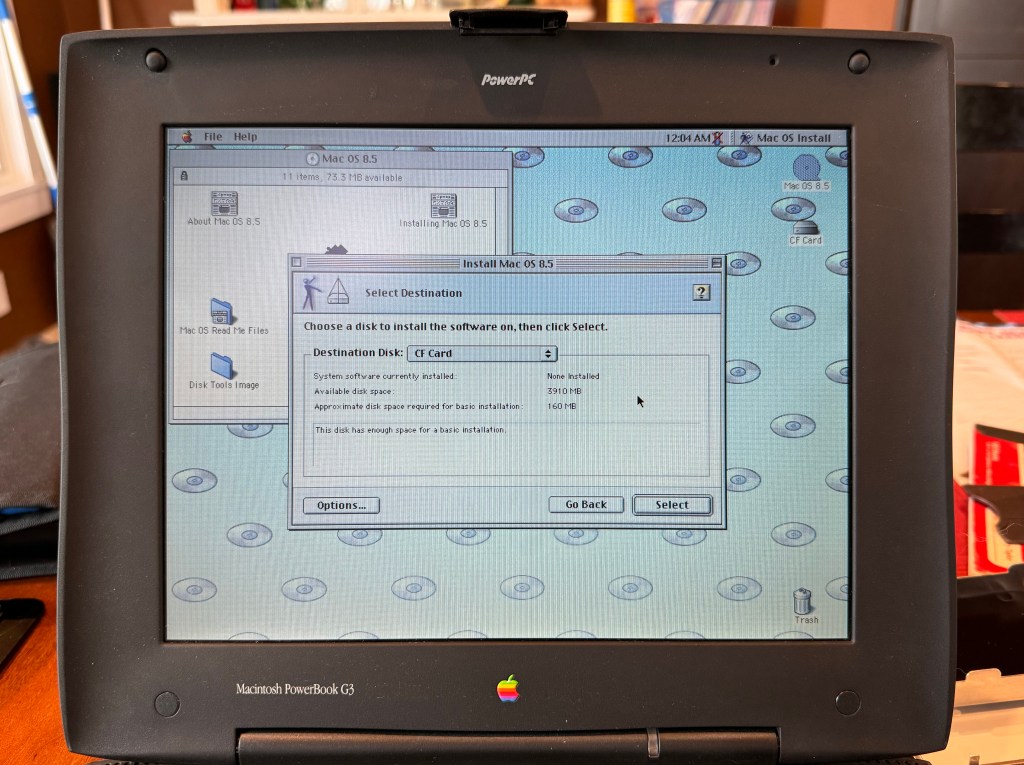
My care paid off and the adapter plugged in with no problem. I booted from a Mac OS 8.5 install CD and saw my CF card on the desktop. The OS 8.5 installer saw the disk and successfully completed the install. I rebooted and, voila, was running my PowerBook G3 off of a silent CF card.
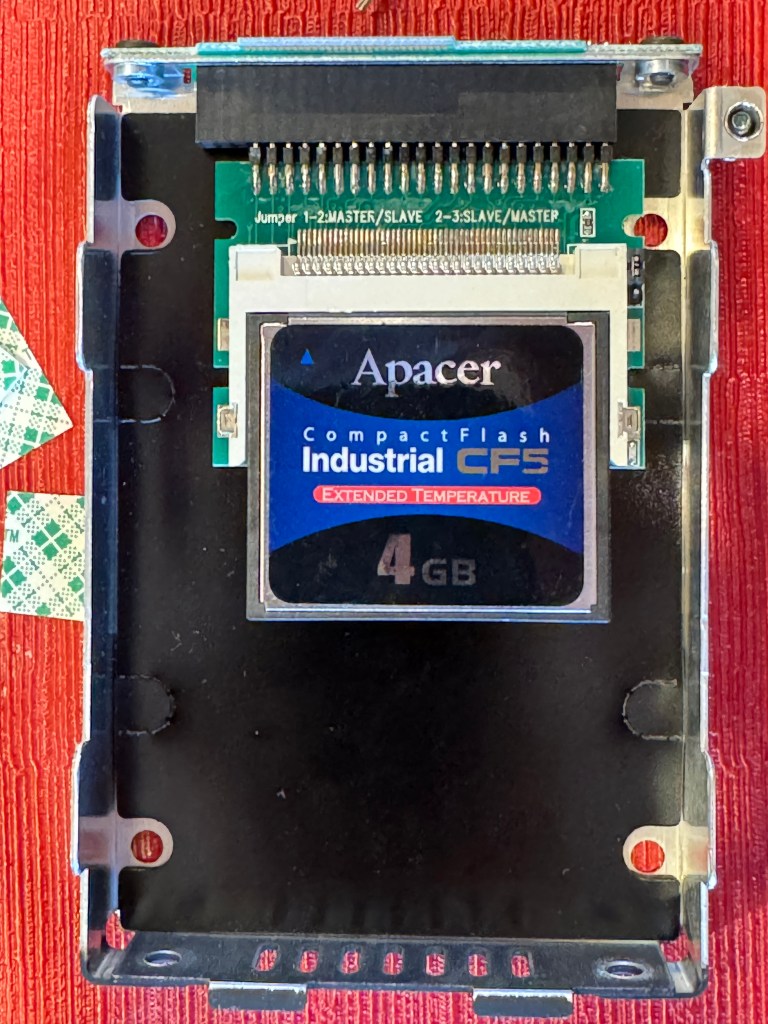
At this point I was just testing the drive and still had the PowerBook open and nothing screwed in. Confident that it was working I put it all back together. I didn’t have a mounting bracket for the CF to IDE board and it wasn’t wide enough to screw into the G3’s drive bracket so I used double stick tape to stick it onto the bracket and provide a little stability. A CF card doesn’t weigh much but it’s best not to be banging around in there.
Results
From a performance perspective, things seem a bit snappier and responsive. In the MacBench 5 disk test, it scored a 2110, which is more than twice the score that it gets with its original drive. At maximum, it hits a little over 14 MB/s throughput. It’s not nearly the improvement I’ve seen replacing a spinning SATA drive with an SSD in a MacBook Pro, but the original drive was most likely close to saturating the 16.7 MB/s throughput supported by its ATA-2 bus anyway.
What is different is the sound – it’s totally silent and stays that way (I haven’t ever heard the fan even after extended use). Booting the machine is odd because there’s no sound at all but also nothing on the screen for several seconds either. With no indication it seems like it’s dead until it suddenly springs to life.
Overall it seems as if everything is working well. I’ve had a few hard lock ups here and there but they seem to be more related to Mac OS 8.5 and 26 year old hardware more than anything. So far, so good. I’ll certainly consider this the next time one of my drives dies.


One Reply to “”